Manual instruction Mixer Plus Mixer Technology srl pag.32
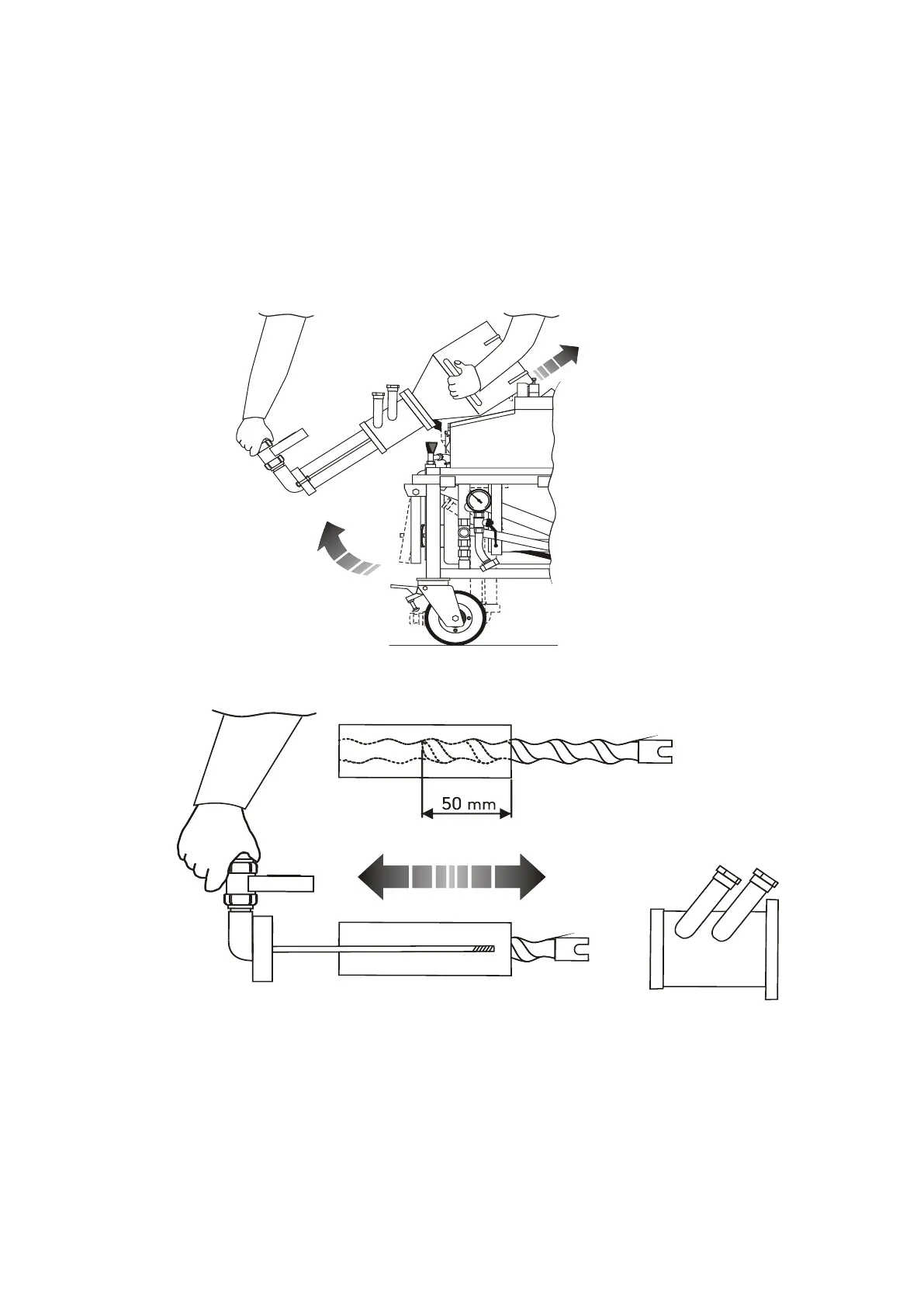
REPLACEMENT OF THE ROTOR STATOR
1. Remove the material output connection
2. Unhook and lift the chamber mixing
3. Block it in upper position
4. Unscrew the nuts of the tie rods and extract the rotor/stator assembly;
5. Spray the “Anti-grip” liquid (standard supplied bottle) on the new rotor;
6. Start the new rotor for at least 50 mm;
7. Mount the rotor/stator assembly, by screwing the nuts of the tie rods.


 To Next Page