2
Welcome
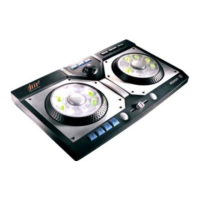
Welcome to the Digital Music Mixer (DM²) User Manual. The DM
2
turns your PC
into a dynamic mixing studio, packed with high-tech tools and unique features. If,
after reading this manual, you still have questions, or need up-to-the-minute
information, please visit our web site, www.playdigitalblue.com/tech_support.
You can also send us email at support@playdigitalblue.com.
System Requirements
Before installing the DM
2
, verify that your system meets the following minimum
requirements:
* Pentium II 233 MHz or faster
* An available USB port (Most computers manufactured after June 1998 are USB
enabled)
* Windows 98, Windows Me, Windows® 2000, or Windows® XP
* 32 MB of RAM (64 MB or more recommended)
* 400 MB of free hard drive space
* 8X CD-ROM
* SVGA Monitor supporting 800 x 600 display and16-bit color
* 16-bit Sound Blaster compatible or 100% Windows compatible sound card
and speakers
* Standard mouse and keyboard
* Computer microphone required for voice recording (not included)
Getting the best performance from your PC
The DM
2
is a real-time, high-performance application that uses all the power of
your PC. We have included a list of the different components of the computer
system, and how they affect the performance of the DM².
Processor Speed
The speed of the computer’s processor is most dramatically seen when engaging
the Wideband Audio Realtime Processing or “W.A.R.P.” effects. The time it takes
to add complex effects (“FX”) processing to sound is directly related to the speed
of the processor.
RAM
All sounds that are loaded into the DM
2
are stored in RAM. The amount of
available RAM determines how much sound can be loaded in at any given time.
Longer sounds require more RAM. Certain tracks require more RAM than others.
If you are experiencing difficulties in loading all tracks, you may need to install
more RAM in order to enable all tracks to load completely.


 To Next Page