4
Running the DM² CD-ROM
1. Insert the DM
2
CD-ROM disc into your drive. (The CD-ROM is needed only if
you selected a custom install and have not installed all the Track Files).
2. Be sure the DM
2
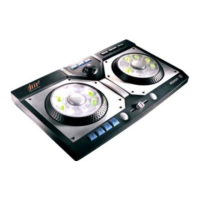
controller
is plugged into the computer’s USB port.
3. Select Start/Programs/DM²/Start DM² from the Windows® taskbar.
4. Or, if the CD-ROM is already inserted, just double-click the DM
2
icon on your
Windows® desktop.
Tutorial Help Movie
After you launch the DM² software, you will be shown a video that will
demonstrate the highlights of using the controller and software to remix music.
You can close the video and launch the DM² program at any time by pressing the
Start DM² Now button. When the video is complete, click the Yes button to begin
using the program. You can review the video again by selecting the Play Help
Movie from the Help menu in the Song Selection screen.
Song Selection Screen
Selecting a Music Mix
Along the bottom of the screen, you can choose to review songs from six music
styles by clicking on one of the following choices: House, Drum & Bass, Techno,
Hip-Hop, Trance and Grab Bag. After clicking on a music style, five song disc
icons will appear. To hear a sample of each song, place your mouse cursor over
a disc. Click on a disc to load that song into the Remixing Studio. You are now
ready to start mixing music.
You can select from the following menu options along the top of the Song
Selection Screen:
• Mixes :
1) Create New Mix – Provides you with 16 blank tracks in the
Remixing Studio. No music or sound will be available in the
Remixing Studio until a new sound is recorded or a new track is
loaded.
2) My Mixes – Provides you with access to your saved Mixes.
3) Mixman Singles – Provides you with access to all the Mixman
Singles available on your CD-ROM.


 To Next Page