3
Note: For best performance, close all unnecessary applications
before installing or running this program.
Installation
To install the DM
2
:
1. Insert the DM
2
CD-ROM into your CD-ROM drive.
2. If the AutoPlay feature is enabled, the program will start automatically. To
launch the install program manually, click Start on the Windows taskbar and
select Run. Type d:\Setup.exe. (where “d:” refers to your CD-ROM drive).
3. When the installation screen appears, select “Install DM
2
Software”.
4. Follow the directions in the Setup program.
5. Plug the DM
2
controller into your USB port when prompted at the end of the
program installation.
Calibration
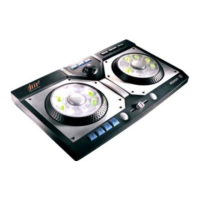
Following the installation of the program you will be asked to plug the DM²
controller into the USB port on your computer. After plugging in the controller,
click OK. You will now be asked to calibrate the Crossfader and W.A.R.P.
joystick controller to ensure that each responds correctly to your direction.
Follow the on-screen prompts to calibrate these functions. If, after the initial
calibration, you notice that the W.A.R.P. joystick or Crossfader is not responding
correctly, you can re-calibrate them by selecting Start/Programs/DM²/Calibrate
DM² Controller from the Windows® taskbar.
After installation and calibration are complete, you’ll find an icon for DM² in the
DM² menu item within Programs under the Start menu on the Windows® taskbar
as well as on the desktop.
Registration
We strongly encourage registering your copy of the DM
2
. It is an invaluable way
for us to learn about our users and allows us to continue creating the best
possible music software on the market. You can register your software at any
time by selecting the Register for Upgrade and Free Mixman Single from the DM²
Program group. You may also register at any time at www.mixman.com/dm2.
NOTE: The DM
2
software has been specifically created to run with the DM
2
controller. While some functions can be accessed using the computer keyboard,
this can negatively impact the program’s performance and is not recommended.


 To Next Page