5
• Get More Music: Accesses your web browser to go to the
www.mixman.com/dm2 web site to download additional music (Internet
connection required). The Mixman Singles included in the DM² are remixable
songs from artists and producers around the world. Individual sound elements
from the master tape of a song are converted into Mixman .trk (track) files and
packaged together as one file. Each Mixman Single comes with a complete
set of sixteen .trks (tracks) ready to use in any Mixman software.
Additional Mixman Singles can be downloaded from the Internet. They will
come as self-executing files that will be placed in your Mixman Singles
directory. Note: many of these tracks are not “royalty free” and are intended
for personal use only. To see the copyright status of any given track, double
click on any track and view the Track Copyright information section in the
lower left of the Load Track Dialog. Mixman Singles are available at
www.mixman.com.
• Help: The Song Selection screen help options include the following helpful
tools for learning how to use the DM².
Play Help Movie
Open Manual
Quickstart Guide
Credits
• Quit: Exits the program.
Remixing Studio Screen
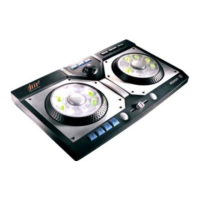
Now you’re ready to start performing music. As you enter the Remixing Studio
you will note that the screen closely resembles the DM² controller. In many cases
you will be able to use either your mouse cursor or the controller to select the
same features. The menu options above and below the controller image are only
accessible with the use of your cursor.
Help System
Click the Help button in the upper right hand corner of the screen to turn on the
help dialog boxes. When the Help is highlighted, you can place your mouse
cursor over any functional area on the screen and a detailed explanation of that
function will appear. Click the Help button a second time to turn off the dialog box
help.


 To Next Page