6
Loading Track Files
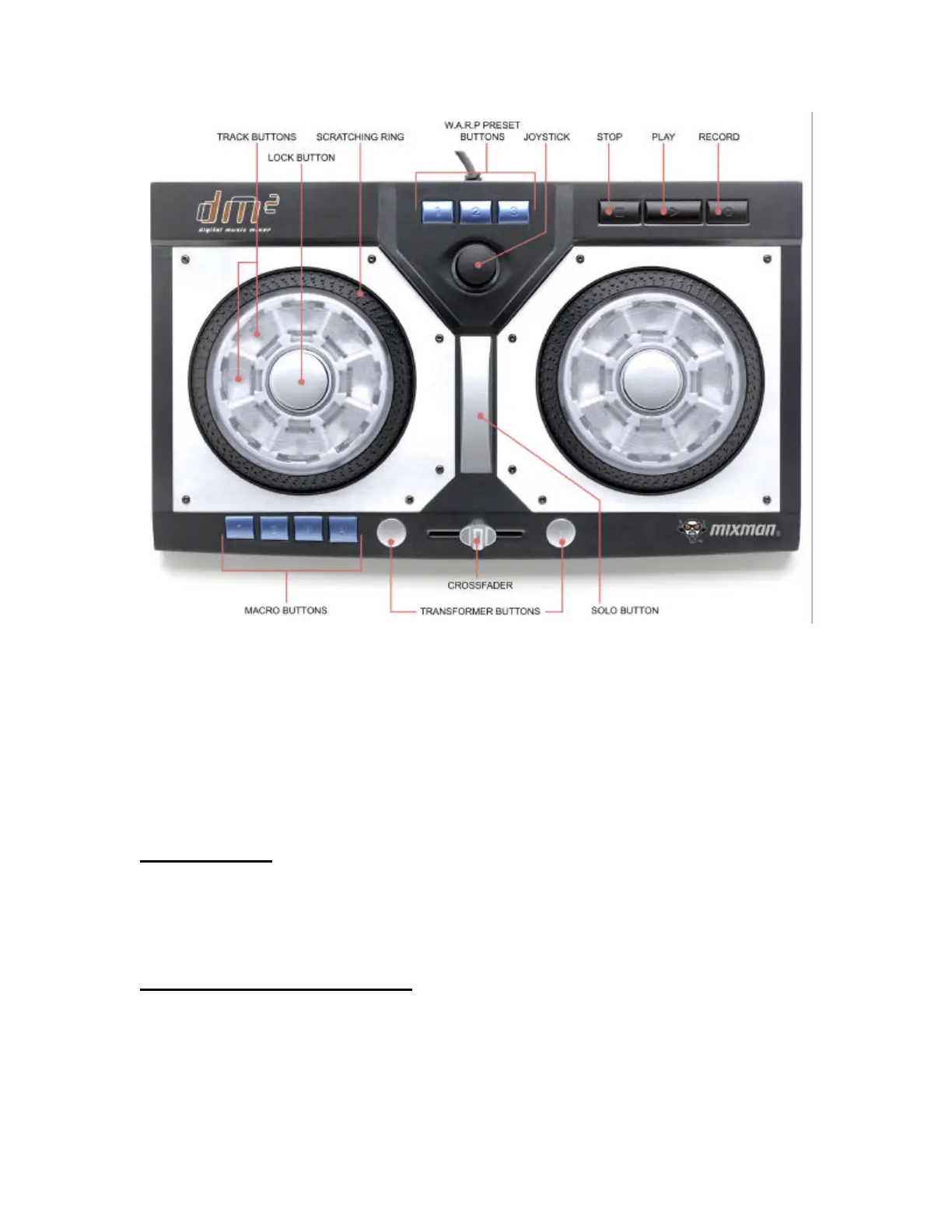
The controller includes two round decks or turntables with eight Track buttons on
each turntable. The song you selected will automatically be loaded into the 16
audio tracks. On the screen, you will see a blue highlight move around the track
buttons as each track loads. Depending upon your computer system, this may
take several seconds. Wait until all the tracks have been loaded before starting
your mix.
Playing Tracks
To play an audio track, press and hold down a track button on the DM² controller.
On-screen a yellow highlight will appear on the selected track button. When you
release the button, the audio will stop playing.
Locking and Unlocking Tracks
To lock a track so that it will continue to play without being held down, press and
hold down a track button and either of the center lock buttons at the same time.
You can lock down any or all of the 16 tracks at once. A locked track is
represented with a green highlight.


 To Next Page