7
To unlock a track, push the desired track button and a Lock button at the same
time.
Soloing Tracks
A solo is when a single track plays while other tracks are muted. To solo a track,
press the track button you want to solo, then press and hold the Solo button
located between the two turntables. To stop soloing and continue playing the
other locked tracks, simply release the Solo button.
Scratching
Scratching has long been a part of the bag of DJ tricks. Traditional scratching is
produced when a DJ rhythmically moves a record back and forth very quickly on
a turntable. The sound created is a combination of the sound on the record and
the pattern of movement from the DJ.
Scratching sounds using the DM
2
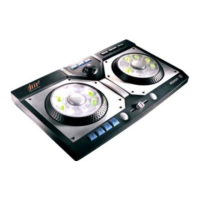
is simple. On the controller, there are two
scratch rings, one on the outer edge of each turntable.
To scratch a sound:
1. Make sure the sound you want to scratch is locked.
2. Rotate the scratch ring back and forth to create an effect.
Note: The speed of your rotation will effect the scratch sound. The DM2 offers
several ways to do scratching. Using the Options menu located along the top of
the Remixing Studio screen, you can select from eight mode settings for
scratching:
1. Default - Use the most recently played Track as the scratch sound. The
scratch sound will be stereo and one beat long. This is the factory default
setting.
2. 1BeatMono - Use the most recently played Track as the scratch sound. The
scratch sound will be mono and only one beat long.
3. 2Beat - Use the most recently played Track as the scratch sound. The
scratch sound will be stereo and two beats long.
4. 4Beat - Use the most recently played Track as the scratch sound. The
scratch sound will be stereo and four beats long.
5. AlwaysUseDefaultSounds - Always use the default scratch.wav files as the
scratch sounds. (customizing scratch.wav is possible, but not recommended for
beginners.)


 To Next Page