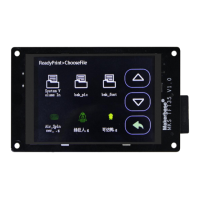
Firmware version update
1, fix the firmware update or change the baud rate, the touch screen can
not communicate with the motherboard error;
2. Fixed a bug in reset or control error when setting more menus.
1. Increase the maximum temperature of the nozzle and hot bed in the
mks_config.txt configuration file.
2. Increase the default level of the breakout interface and configure it in
mks_config.txt.
3. Modify the "About" interface to display as TYPE: MKS TFT
4, fix the U disk crash BUG.
5. The leveling button is not displayed by default.
1, increase the function of "auto off after finish printing" function in
mks_config.txt.
2. In the print interface, more "buttons" are added to select the function of
"shutdown".
1. The display interface is faster and more sensitive.
2, You can switch from simplified Chinese, traditional Chinese and English to
three languages.
3. The WiFi interface is corrected. Every time the power is on, the initial
value in the 2 minutes is bug.
4.Corrected the bug that displayed the prompting information and
sometimes the font size was abnormal when there was no SD card or U disk
after power failure.
5. Increase the function of manual leveling.
6. Increase the feeding function;
7. In the printing operation interface, add more "customizable buttons";
8. Delete the "correction" button of the "setup" interface.
1. update the layout of the interface to add 3 different home page interfaces
(corresponding to 3 different firmware).
2. interface of set to increase the function of "breakpoint recovery".
3. delete the connection button and set the baud rate to mks_config.txt.
4. update the layout of the "leveling" interface
5. revise after printing, suspend and reload. The extrusion position of E is
abnormal bug.
6. the height of the Z axis can be seen in the mobile or print.
1, the repair of the port of the auto off after finishing function;
2, modify the manual leveling or automatic leveling.
3, compatible with MKS WIFI TFT and MKS HLK-WIFI, compatible with the
new version of mobile APP MKSCloud.
4, increased cloud services, mobile phone transmission files and other
Internet functions;
5, increase the style of Windows.


 To Next Page