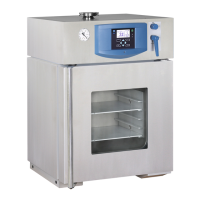
CONTENTS:
26. 6. 2012
1 GENERAL................................................................................................................................3
1.1 PurPose and use...............................................................................................................................3
2 IMPORTANT INSTRUCTIONS...........................................................................................................3
and transPort...................................................................................................3
2.2 Pre installation................................................................................................................................3
2.3 useful sPace....................................................................................................................................4
3 DESCRIPTION OF THE OVEN..........................................................................................................5
3.1 general view....................................................................................................................................5
Power connetion and connectors
......................................................................................................6
3.3 control Panel..................................................................................................................................6
4 FUNCTION AND OPERATING..........................................................................................................7
4.1 Basic setting of the units................................................................................................................7
4.1.1 activating the service mode.....................................................................................................7
4.1.2 service
6....................................................................................................7
- restore/uload the Programs from the chiP card.................................................7
4.1.4 service
- set the real time and date...................................................................................8
4.1.5 service
- set interval on Printer/communication interface.................................................8
4.1.6 service
- select language..................................................................................................8
4.1.7 service
setting the switching times of inner socket (oPtional)
and the fan run after the Programme termination...............................................................8
4.1.8 service
- safety thermostat setting.....................................................................................9
4.1.9 service
temPerature tolerance.........................................................................................9
..................................................................................................10
- sounds setting...................................................................................................10
.........................................................................................10
- cancel the service mode.....................................................................................10
4.2 P
rogram P
1....................................................................................................................................10
1...................................................................................................................................10
4.2.2 lcd - read out shown.............................................................................................................11
4.2.3 s
tart P
1................................................................................................................................11
4.2.4 information on the set Parameters during running...............................................................11
4.2.5 stoP P
1.................................................................................................................................11
2....................................................................................................................................11
2...................................................................................................................................11
4.3.2 lcd - read out shown.............................................................................................................11
4.3.3 start P
2................................................................................................................................11
4.3.4 information on the set Parameters during oPeration of the unit............................................12
4.3.5 stoP P
2.................................................................................................................................12
3....................................................................................................................................12
3...................................................................................................................................12
4.4.2 lcd - read out shown.............................................................................................................12
4.4.3 s
tart P
3................................................................................................................................12
in the graPh are active......................................................................12
4.4.3.2 P3 and segment
in the are active, the segment
is over.............................................12
4.4.3.3 P3 and third segment in the graPh are active............................................................13



 To Next Page
 Loading...