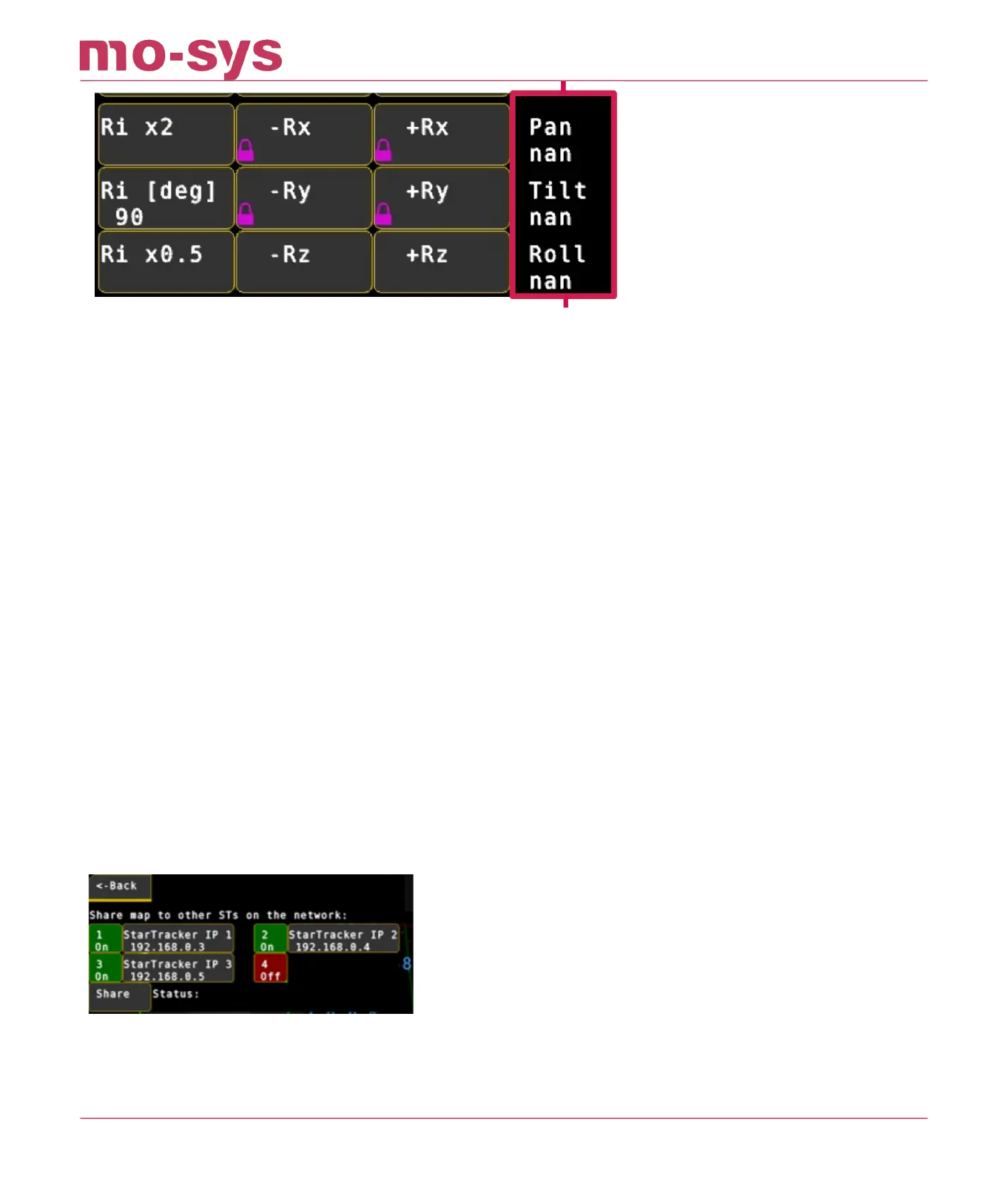
Go to Mapping → Transform This controls linear X,Y & Z translation and rotation. The map is
moved by either Ti for linear translation in metres, or Ri for rotation in degrees.
To change manually click on Ti or Ri and enter the increment at the bottom. Values can be
changed by a factor of 10 by clicking Ti x10 or Ti x0.1. Rz rotates the map without tilting it,
similar to pan. Rx and Ry tilt the map eg: select +Rz to increase rotation, you will notice
StarTracker pan increase by 10. You will also likely see the StarTracker X & Y position change.
The map rotates about its origin, O not current StarTracker position. Do not use Rx and Ry
unless you intend to manually tilt the map – They are locked to prevent accidents.
To save the translated/ rotated map type s. The * will disappear from the map name at the top
of the screen. The yellow [MAP MODIFIED] indicator at the top of the screen will disappear. If you
make a change to the map that you do not want, simply reload the map, type L, without saving
it to remove changes. In this way you are free to experiment with translations/ rotations non-
destructively.
8.6 Sharing Maps
If you have more than one StarTracker system, the map can be shared. Copy the map onto a
pen drive and then paste it into the map folders of the other systems.
If you have multiple StarTrakers on the same network, the map can also be shared within the
software. Go to Mapping -> Manage -> Share Map. Enter the IP addresses of up to 4 StarTracker
devices. THen hit share button. The staus will then show "OK" or "Fail" for each of the devices.
A StarTracker can contain a multitude of maps. To switch between maps, go to Mapping → Select
and choose the map, type in the working map number and hit enter. Load the map, press L and
Y.
StarTracker Max Manual
2023 - 2024 © Mo-Sys Engineering Ltd. All rights reserved 32 of 70



 To Next Page