16. Troubleshooting
16.1 Software Update
Firmware le sent via Wetransfer, email or download link.
Copy zip le onto USB stick
Recommended Method
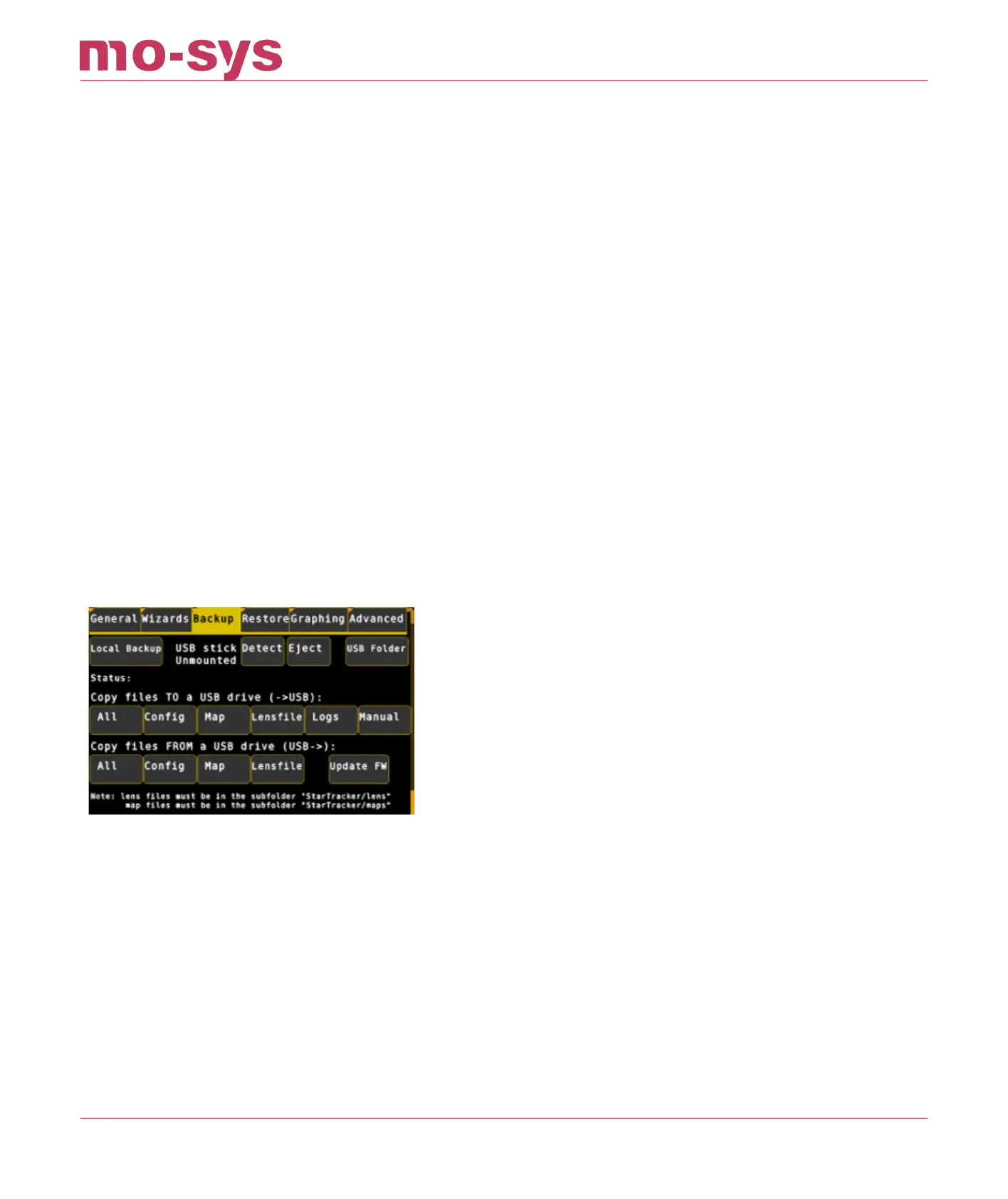
Plug USB Stick into StarTracker. Close the le manager window that pops up.
Go to Main -> Backup and click on Detect. Make sure the status shows "Mounted"
Then click Update FW. It will give you a list of the zip rules it found on the USB drive. Select
the one you want to update and hit Enter.
Then make sure the status says "Updated rmware. Restart to use new software. IF it
shows some error, contact support@mo-sys.com
Click on Eject to remove USB stick and go to Main and hit Restart.
Fallback Method (If method 1 fails)
To upgrade boot StarTracker into Engineering Mode:
Shutdown StarTracker if currently on (use power button top left)
Power on StarTracker (use power button top left)
Keep tapping down arrow key
Sub menu will be displayed
Select Engineering Mode (usually second in the list.
•
•
•
•
•
•
•
•
•
•
•
StarTracker Max Manual
2023 - 2024 © Mo-Sys Engineering Ltd. All rights reserved 65 of 70



 To Next Page