6. Setup
6.1 Setting Exposure
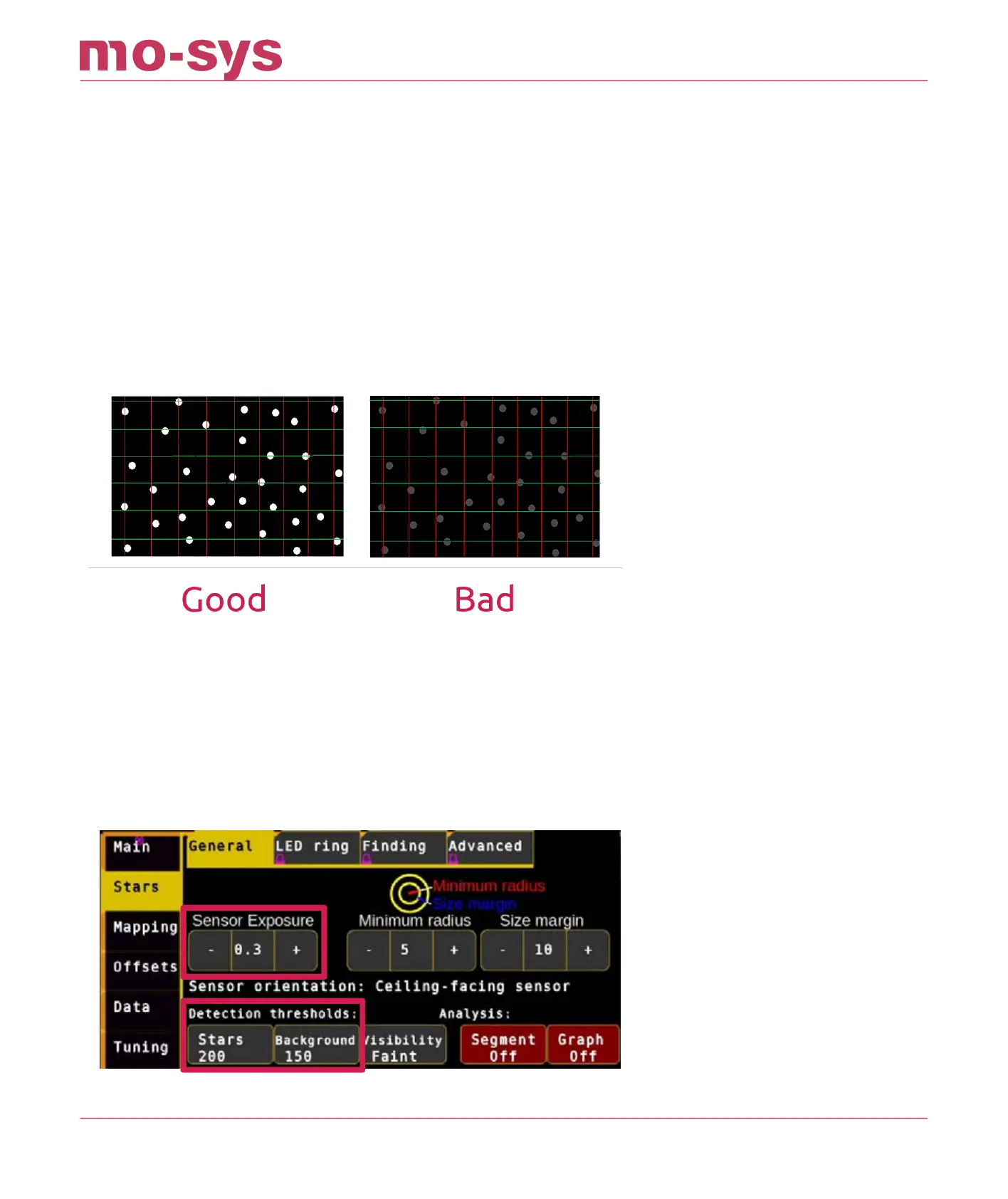
Adjust exposure, using trial and error, to gain best contrast between stars and background,
accessed through the Stars General → Sensor Exposure buttons set the exposure level to 0.4 as
a starting point. Visibility adjusted in Stars → General → Visibility should be set to Normal at this
time.
If there are stars at the edge of the view that appear dim you can try to increase exposure.
In the Detection thresholds section, you can also set the Star Intensity and Background
Intensity. This is useful if for example you have a bright background and you can’t lower the
exposure.
The normal value of star intensity Stars is 100, and Background is 80. If the stars are not
displayed brightly then Stars could be reduced to a min of 50. If the background is an unusually
bright Background, it could be increased to a max of 170. Usually 100 / 80 suces.
StarTracker Max Manual
2023 - 2024 © Mo-Sys Engineering Ltd. All rights reserved 18 of 70



 To Next Page