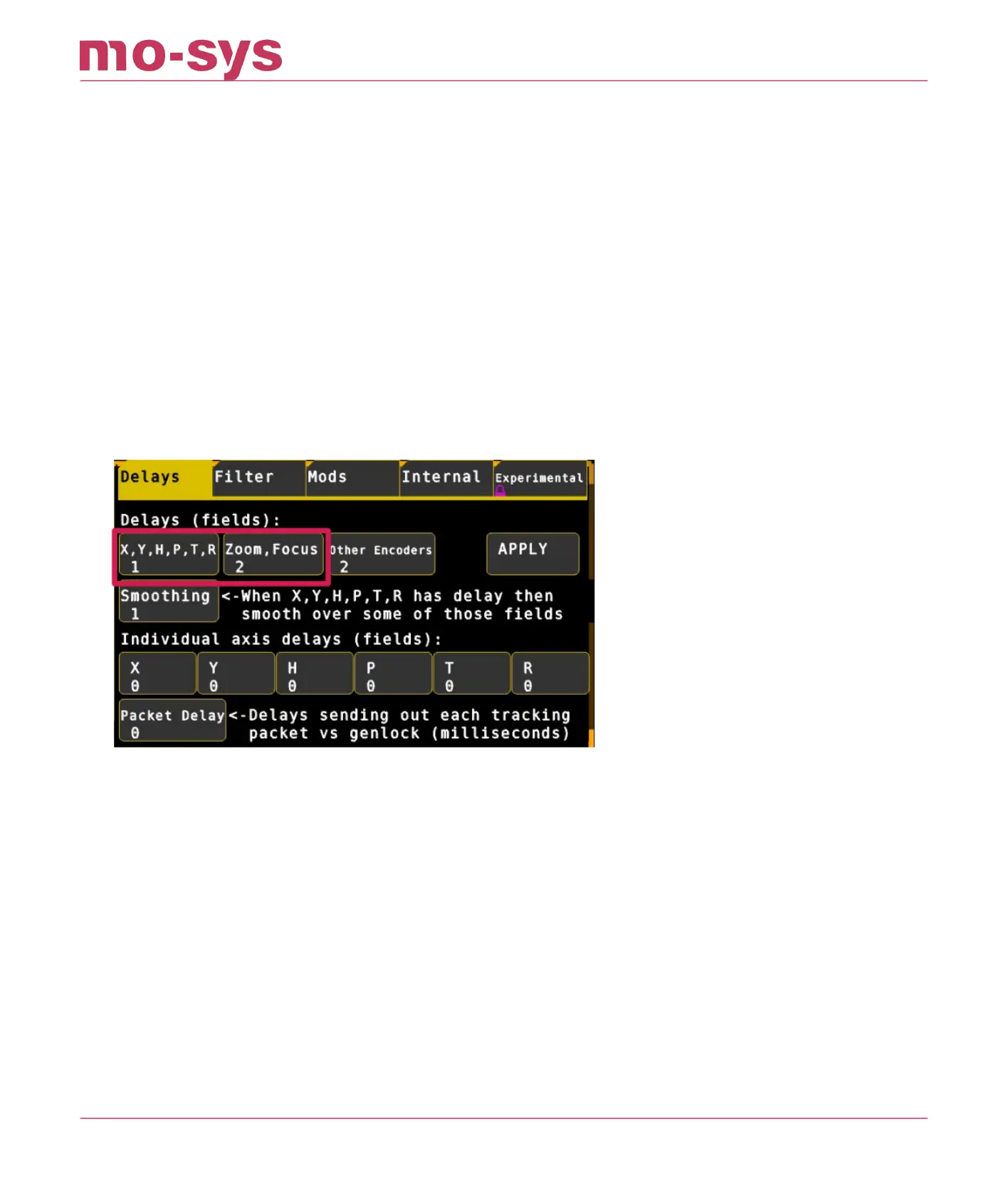
14.4 Setting Delays
Pan camera from side to side in short sharp steps to observe any delay between the virtual
graphics and live image output. Repeat for tilt. If the pan/tilt graphics are too fast increase
Tuning → Delays → X,Y,H,P,T,R to match graphics with the live image output. The delay can be
set in increments of 0.5 elds/frames (2 elds = 1 frame).
Sometimes pan and tilt delays do not match. In this case you can add delay to individual axes.
Having set the delay for all axes you will then need to set the lens delay choosing Tuning →
Delays → Zoom, Focus.
Individual axis delay in Advanced Mode: in addition to X,Y,H,P,T,R by setting Tuning # Delay
where # is the axis to delay e.g., Y Delay - Any increment value is supported here.
After changing delays hit APPLY button
StarTracker Max Manual
2023 - 2024 © Mo-Sys Engineering Ltd. All rights reserved 63 of 70



 To Next Page