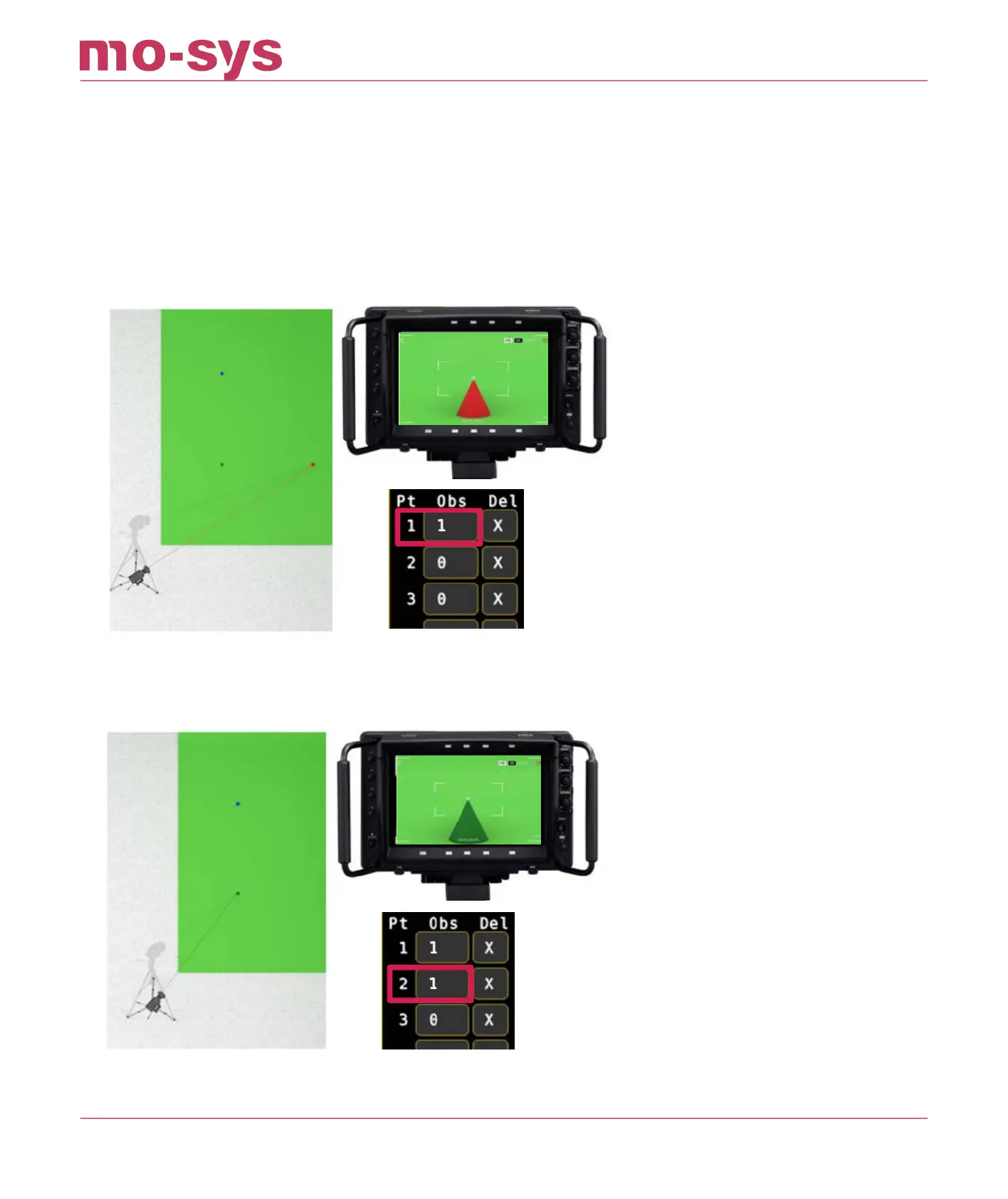
the points in any order, provided you add the observation when you are pointing at the
corresponding point X.
Then click into the Obs eld next to Pt 1 to add that observation of point 1 to the system. The
number should increment if successful.
Note: If there is a problem, for instance you pressed the wrong point or the point was not in the
centre of the image, press the X icon button to the left of it to delete the last point observation.
The number should decrement.
From same camera position now look at point 2, center it and click into the Obs eld next to Pt 2
From same camera position now look at point 3, center it and click into the Obs eld next to Pt 3
StarTracker Max Manual
2023 - 2024 © Mo-Sys Engineering Ltd. All rights reserved 52 of 70



 To Next Page