14. Data and Network
14.1 Network Connection for UDP Output
Before conguring StarTracker to stream data to the virtual set PC you will require the IP
address of that Virtual Set PC.
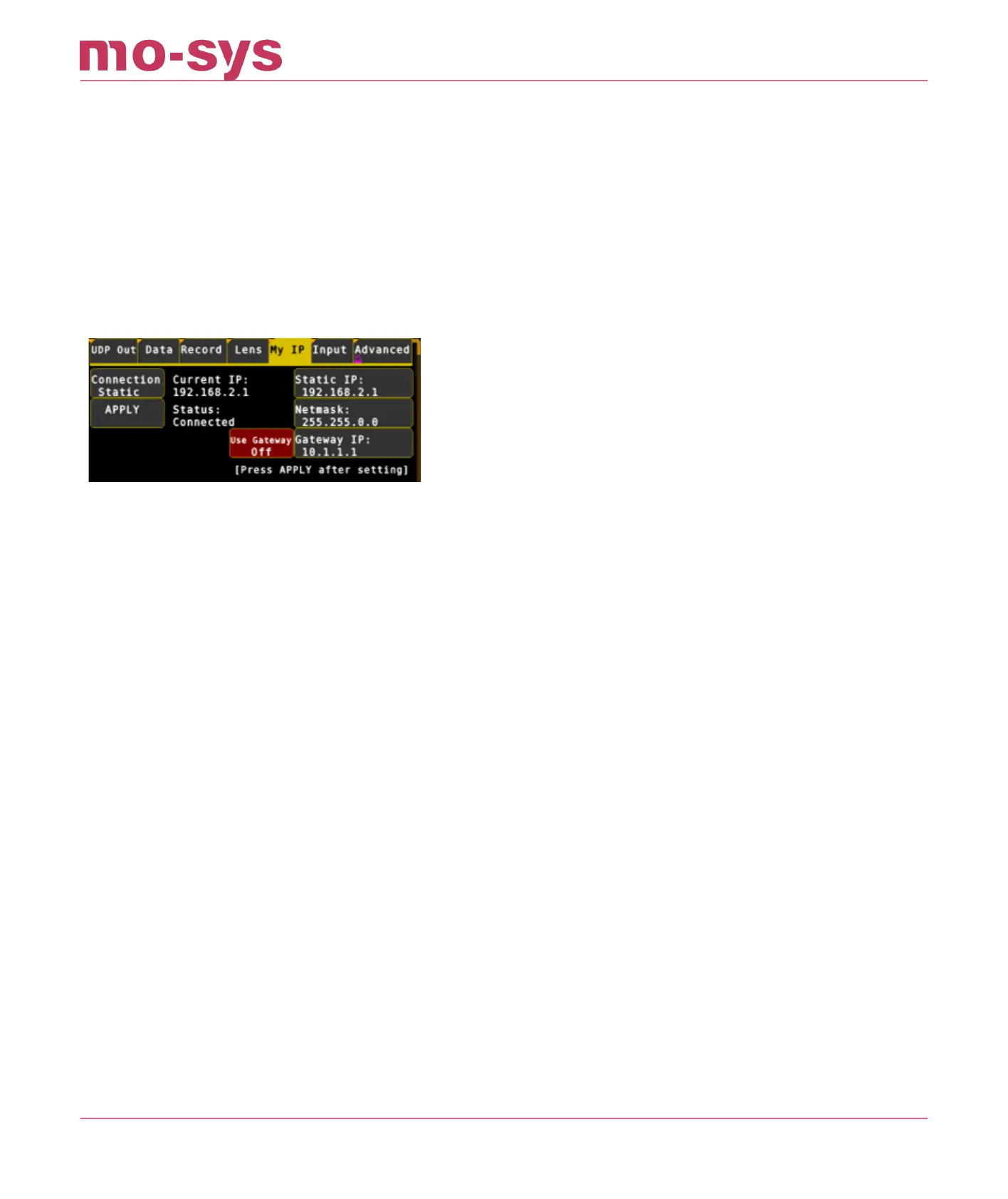
Once you know this IP head to Data → My IP in the StarTracker and select Eth1.
Choose your connection method.
DHCP - if the IP address and netmask of the StarTracker should be assigned by a DHCP
server on your network. Please note the rendering engine should also be on this network!
Local - if the StarTracker is directly connected to a Windows PC via an ethernet cable (i.e.,
no network), Windows will negotiate a point-to-point IP address for itself and the
StarTracker. This will usually be an IP of the form 169.254.x.y.
Static (recommended) - use the IP and Netmask settings in this menu to give the
StarTracker a static IP with corresponding netmask. The IP and netmask must be
appropriate for your network and network settings of your rendering engine!
If your StarTracker has an Auto Connect button, turn this on to re-apply the network settings
automatically if the ethernet cable is reconnected (recommended)
If your StarTracker has a set on boot button, turn this on to apply the network settings on
system bootup (recommended)
It could take up to 5 seconds for the StarTracker to recognise the connection change and re-
apply the network settings. If your StarTracker displays the Current IP: in the network menu, the
IP will change to reect your current IP, or show 0.0.0.0 if not connected.
The StarTracker may pause for ~10 s after setting the DHCP or Local method - this is normal.
The Static method usually applies instantly
Press APPLY after changing the method and/or IP settings you require, or the new network
settings will not take eect!
•
•
•
StarTracker Max Manual
2023 - 2024 © Mo-Sys Engineering Ltd. All rights reserved 60 of 70



 To Next Page