Page 11 of 46
Setting up a user
1.
If you are new to the EVA System and did not set the password on an EVA
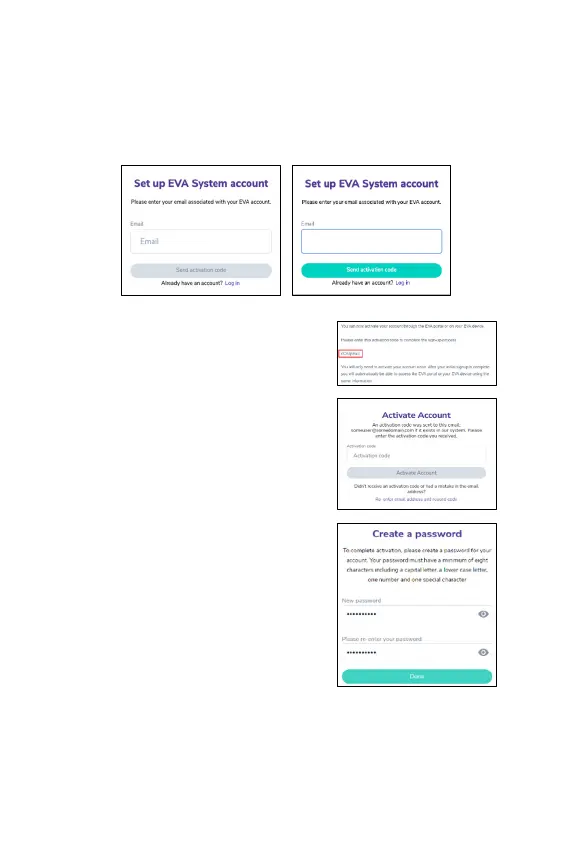
device or on the portal click on “Set up.”
2. Enter the email associated with your EVA user account.
3. Click on ‘Send activation code.’
4.
An email will be sent with a code that
needs to be entered in the next screen.
5. Enter the activation code you received
6. If you did not receive an email,
spam and trash folders.
7.
After entering the activation code, you
will be requested to select a password.
8.
The password requires a minimum of
eight characters including a capital letter,
a
lowercase letter, one number and one
special character. This password will be
used to access your EVA account, both on
the portal and on EVA devices.
xxxxxxxx@xxxx.xxx



 To Next Page