Page 34 of 46
3. The support screen allows the user to connect with the MobileODT support
team for further assistance.
Learn
1. To access the further training resources, tap on the menu icon the top left of
the screen.
2. In the menu section tap on 'Learn'. The learn button opens up MobileODT’s
knowledge center which contains more articles and videos.
Log out
1. To log out tap on the menu icon the top left of the home screen.
2. Tap on the 'Log out' button.
SHUTTING DOWN
At any point, the EVA Pro can be reset or shutdown by pressing and holding the
activation button for approximately three (3) seconds. The power menu will
display. Tap ‘Power Off’ to shut the EVA Pro down. Tap ‘Restart’ to restart the EVA
Pro.
RECHARGING THE BATTERIES
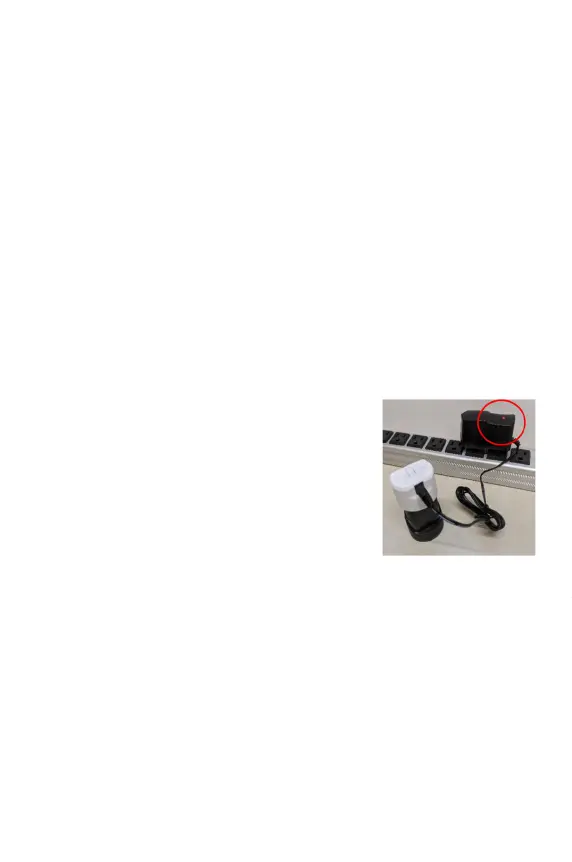
● Batteries should only be recharged when the
battery and charger are dry.
● Plug the battery into the charging adapter.
● Plug the charging adapter into an A/C outlet.
NOTE: The charger can be plugged into an A/C power
outlet of 100-240VAC, 50/60Hz, with the proper
country adapter.
● The red ‘charging’ LED on the charger should
illuminate.
● A completely discharged battery should fully recharge in about two (2-4)
hours. The LED on the charger will turn green
when the battery is fully charged.
● The EVA Pro batteries are lithium-ion batteries and cannot be charged while
connected to the EVA Pro handle. The EVA Pro handle cannot be connected
to supply mains.
● There is an internal lithium-ion coin-cell battery (CR1220) that can only be
changed by MobileODT.
Figure 5: Battery Charging



 To Next Page