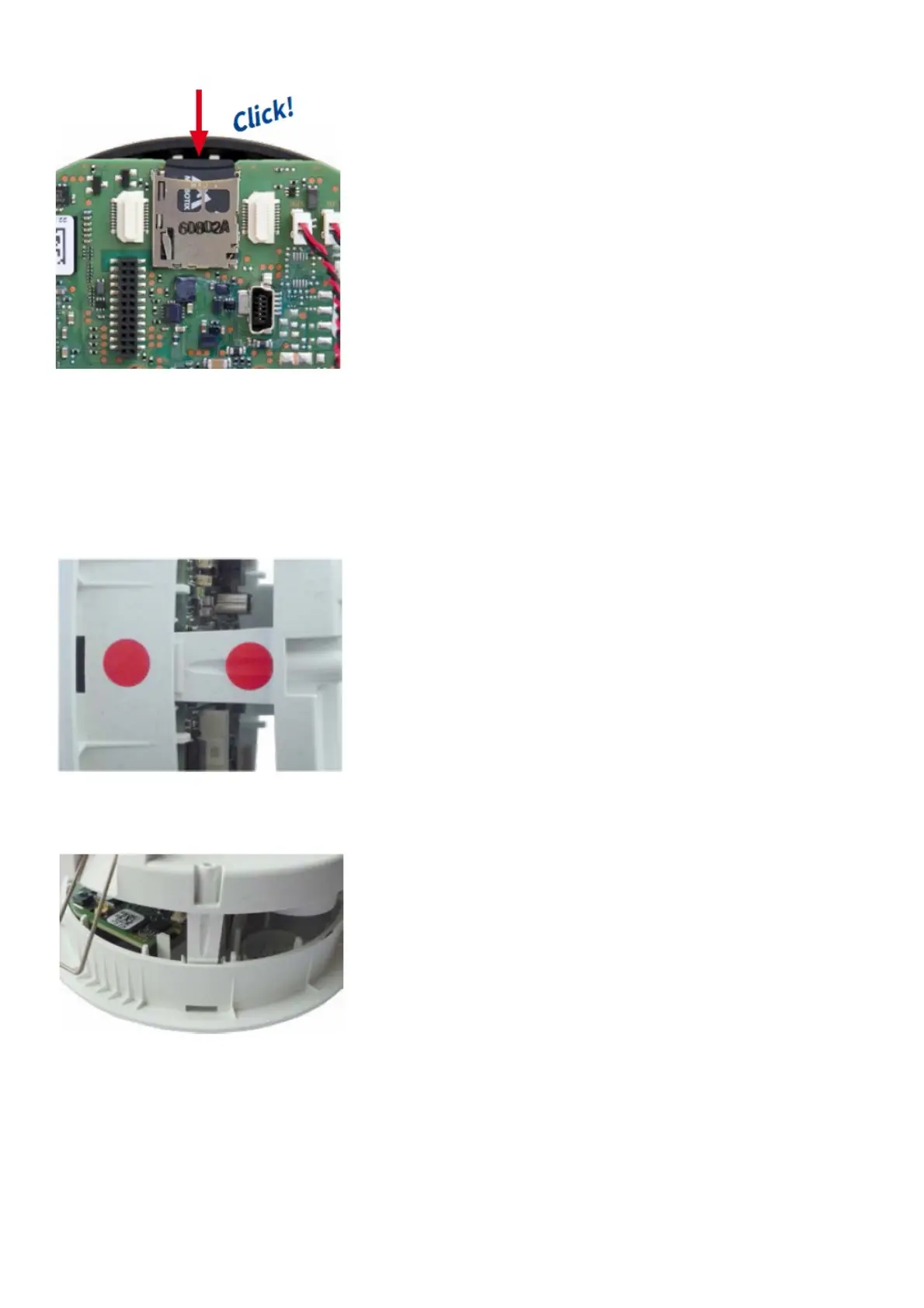
Insert the new MicroSD card and gently press with your finger as indicated by the arrow until you hear the click.
5. Attach back plate
Make sure that the SD card is properly locked in place, since the card can be damaged otherwise .
Begin by inserting the wide lock (next to the SD card) into the camera housing as shown. From the factory, the lock
and the corresponding slot are highlighted by color mark.
Make sure that the two other locks are also properly positioned, then press the back plate into its seat until you hear
all three locks click into place.
6. Re-connect the cables
Insert the Ethernet cable and – if installed – the USB cable into the corresponding sockets and secure the connectors
using the blue bayonet catches.



 To Next Page