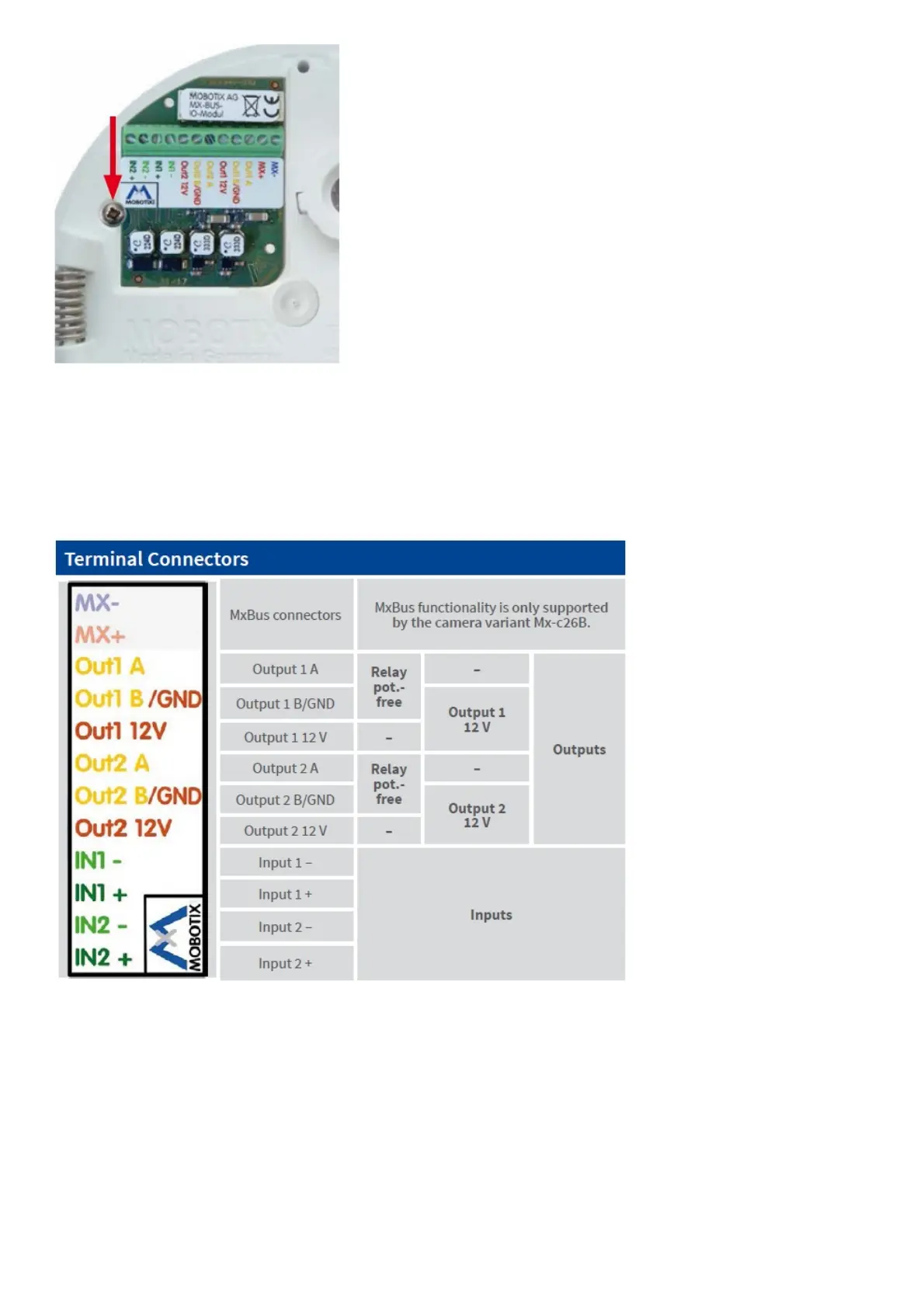
When attaching the connection wires to the Mx-A-IOA-IC, make sure the wires are guided to the module without
tension (you could apply a cable tie and tie the wires to the network cable, for example).
2. Attach the connection cables
Attach the connection wires as shown in the terminal connector overview.
Installing the c26
Use the drilling template on the back for this purpose (red circle) or draw a circle with 105 mm/4.13 in diameter for
the cut-out. Cut out the hole for the camera, then guide the Ethernet cable and any other cables you want to attach to
the camera through the hole.



 To Next Page