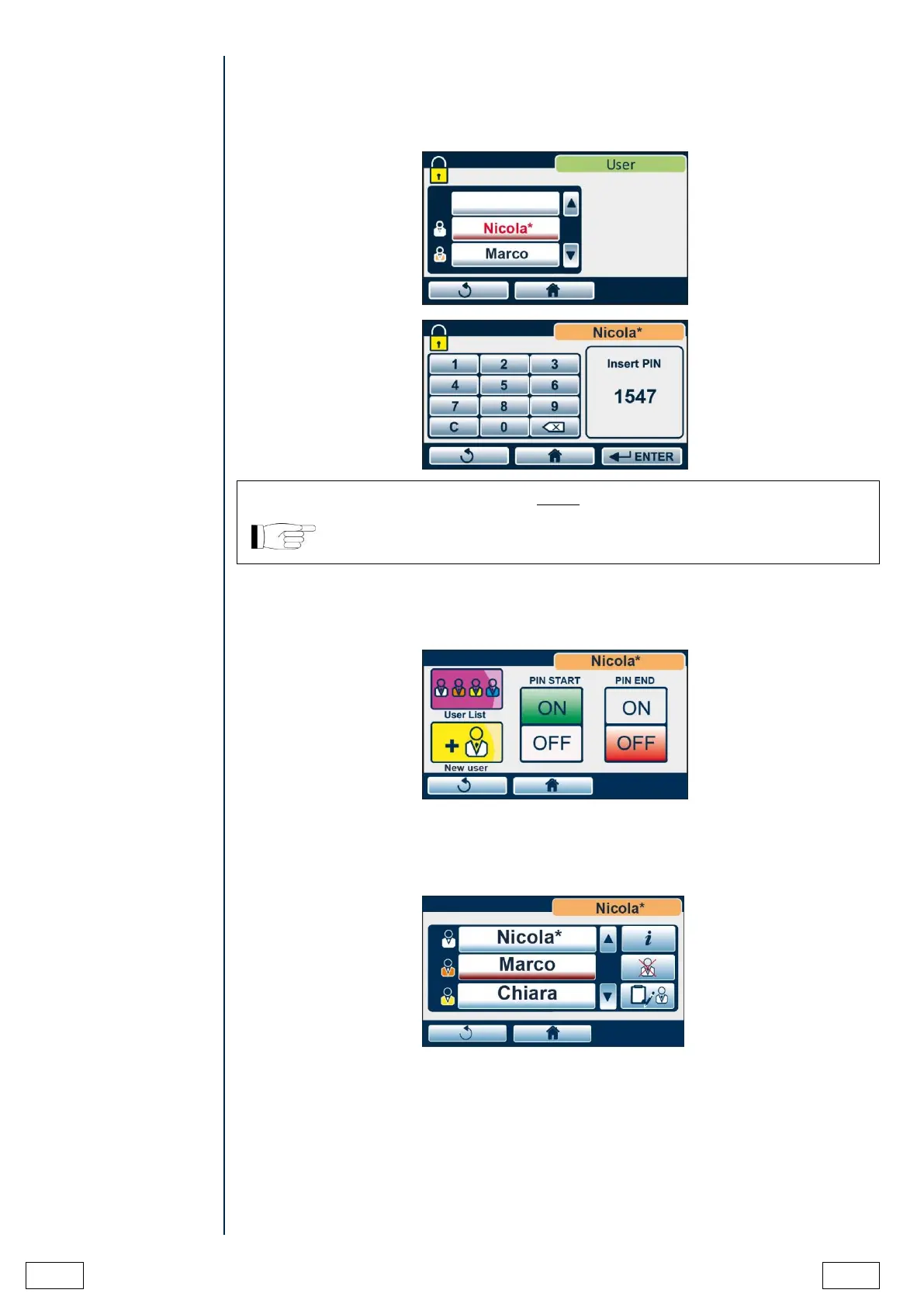
After ADMIN user registration, the following screen is displayed when accessing user
management.
Select the user from the list.
IF ADMIN USER ENTERS THE PIN INCORRECTLY FOR 3 TIMES, IT IS
NECESSARY TO USE THE UNLOCKING PROCEDURE DESCRIBED IN
APPENDIX - ADMIN USER PIN RESET.
The ADMIN user can decide whether the device will ask for the generic user PIN at the cycle
start (PIN START) and/or at the end of the cycle (PIN END).
Press ON to activate PIN request or OFF to deactivate it.
By pressing NEW USER the ADMIN user can create a new generic user, following the
instructions described above.
By pressing USER LIST he/she can reach the list of users.



 To Next Page