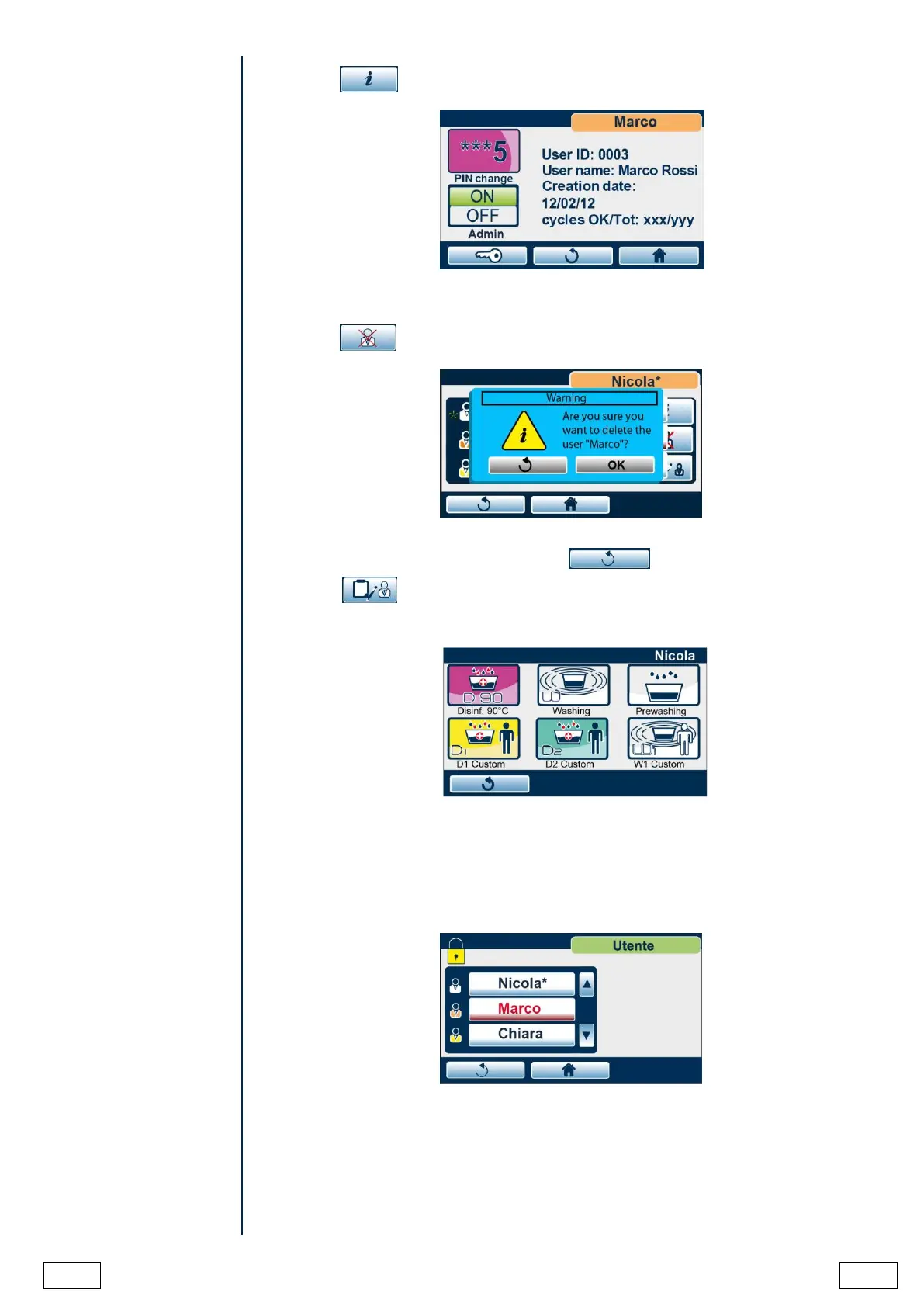
By pressing button, the data of the highlighted user are displayed:
The ADMIN user can change the PIN of the user highlighted in the user list by inserting
directly the new PIN or promoting him/her to ADMIN.
By pressing button, the ADMIN user can delete the highlighted user from the list.
Confirm the deletion by pressing OK or press button to go back.
By pressing button the ADMIN user can choose the cycles that the selected user is
enabled to perform, by pressing the related icons.
USER MANAGEMENT
After the registration of the users, the following screen is displayed when accessing user
management.
Select your generic user from the list.



 To Next Page