11
WIRELESS ROUTER ADSL
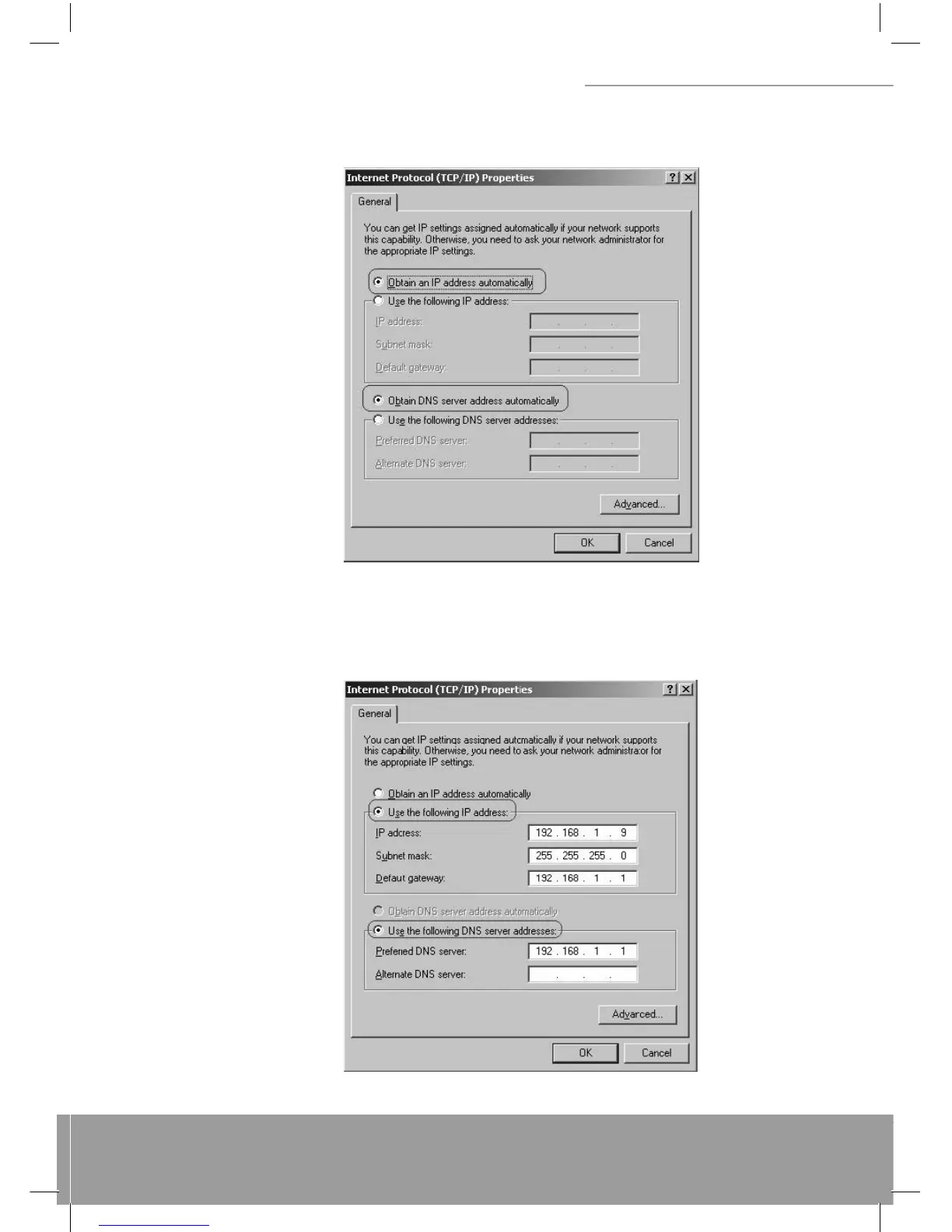
Confi gure IP Automatically:
Step 4: Select Obtain an IP address automatically and Obtain DNS server address automatically then click OK to com-
plete IP confi guring process.
Confi gure IP Manually: Step 4: Select Use the following IP address and Use the following DNS server addresses. IP
address: Fill in IP address 192.168.1.x (x is a number between 2 to 254). Subnet mask: Default value is 255.255.255.0.
Default gateway: Default value is 192.168.1.1. Preferred DNS server: Fill in preferred DNS server IP address. Alternate
DNS server: Fill in alternate DNS server IP address.


 To Next Page