www.modecom.eu
22
WIRELESS ROUTER ADSL
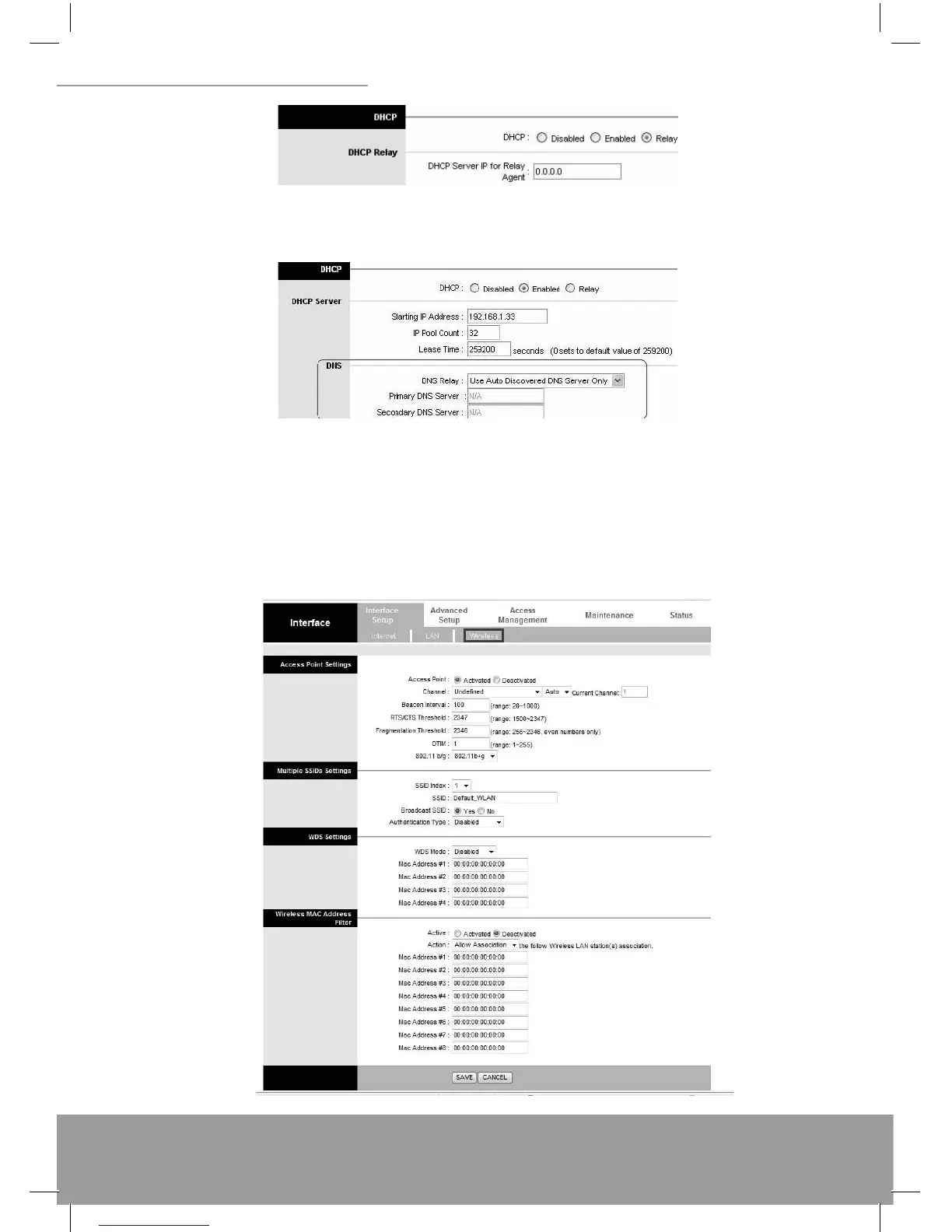
DHCP Server IP for relay agent: The DHCP server IP Address runs on WAN side.
5.2.5 DNS Relay
The DNS Confi guration allows the user to set the confi guration of DNS.
DNS Rely Selection: If user wants to disable this feature, he just needs to set both Primary & Secondary DNS to
0.0.0.0. Using DNS relay, users can setup DNS server IP to 192.168.1.1 on their computer. If not, device will perform as
NO DNS relay. If you don’t want to use the DNS Relay option, set the DNS relay to “Use User Discovered DNS Server
Only” and set both Primary and Secondary DNS Servers to “0.0.0.0”.
5.3 Wireless
5.3.1 Wireless LAN


 To Next Page