www.modecom.eu
16
WIRELESS ROUTER ADSL
Steps to navigate the Web confi guration from the Site Map are summarized below.
• Click on Quick Start to begin a wizard that helps to confi gure your router.
• Click on Interface Setup to confi gure Internet and LAN functions.
• Click on Advanced Setup to confi gure advanced features.
• Click on Access Management to manage Internet access options.
• Click on Maintenance to set a new password, to set the time zone, to upgrade or reload fi rmware and to run diag-
nostic tests on the router
• Click on Status to see router device information, system logs and performance statistics.
• Click on Help to see available help topics.
5. Interface Setup
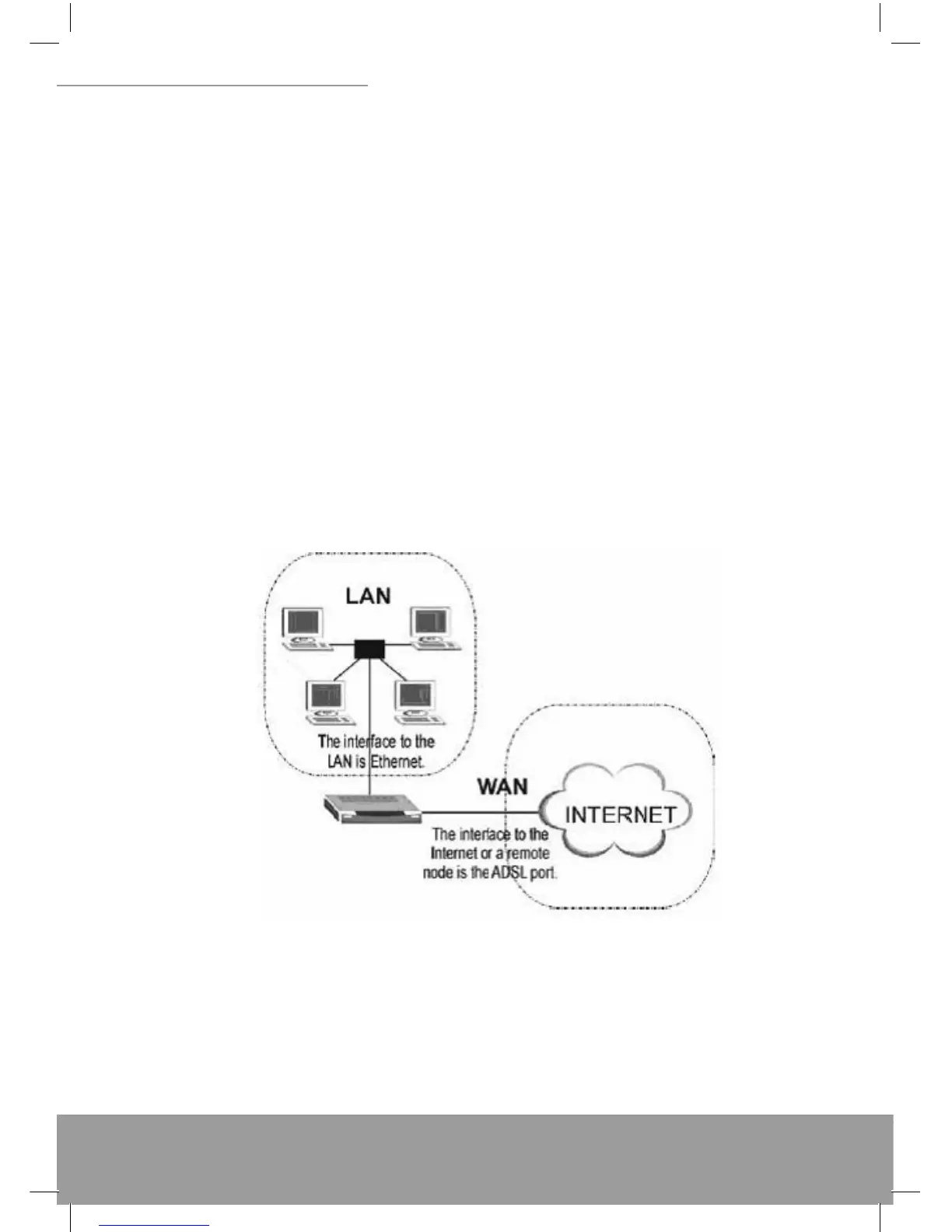
The physical connections determine whether the router ports are local area network (LAN) ports or wide area network
(WAN) ports. There are two kinds of IP networks. The local, private kind is the LAN network; the global, public kind is
the WAN network. The following illustration shows the relationship between the router and the two different networks.
A LAN is a shared communication system to which many computers are attached. A LAN is generally limited to the im-
mediate area, usually the same building or fl oor of a building. A WAN is an outside connection to another network or
to the Internet.
Click an Interface Setup link to set ATM VC values, ISP Encapsulation, confi gure multi- connection settings, and LAN
confi guration.
5.1 Internet
The Internet screen allows you to set up how your router connects to the Internet. If you already ran the Quick Start wiz-
ard, the information you provided to the wizard should be entered into the fi elds already. After you fi nish the changes,
click on the SAVE button to save your changes.


 To Next Page