25
WIRELESS ROUTER ADSL
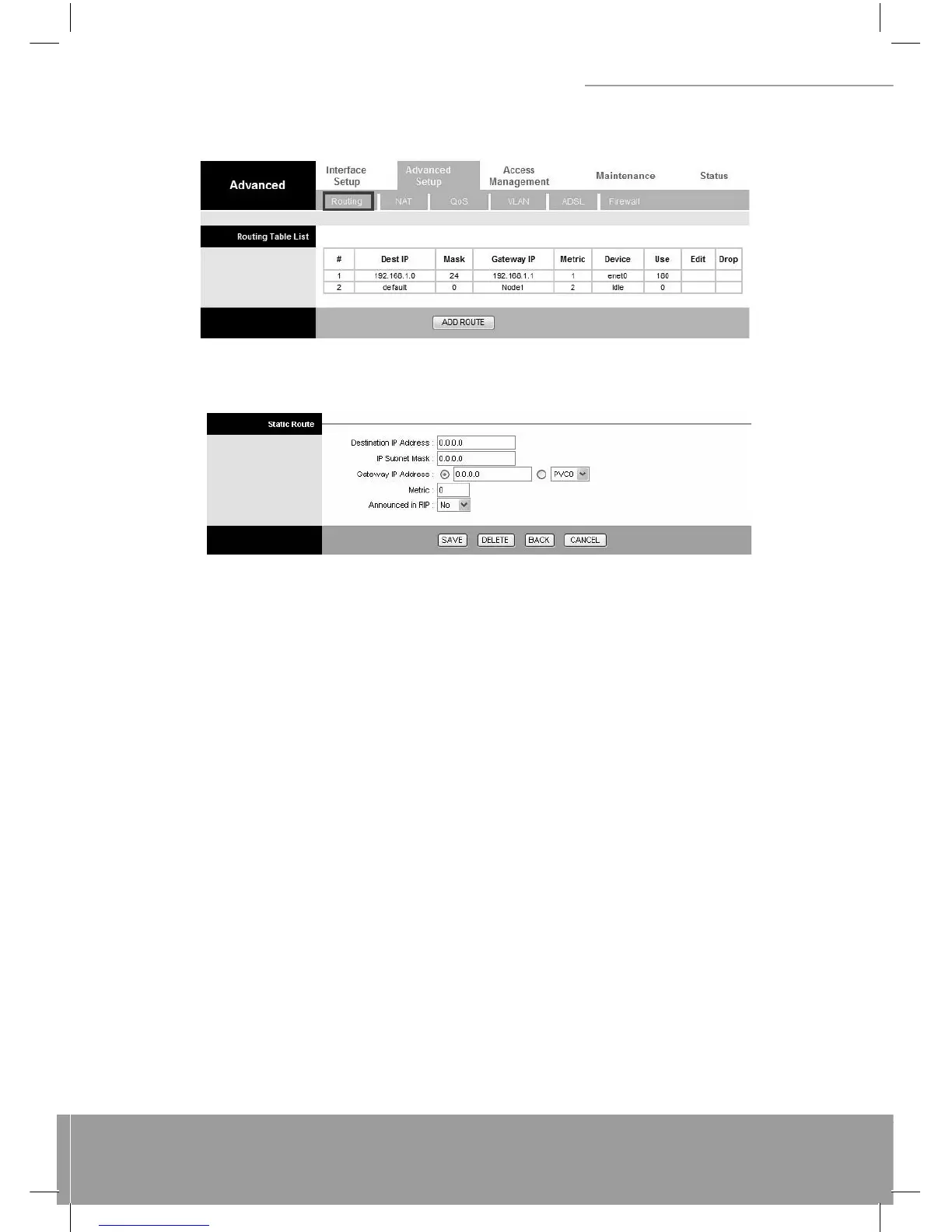
route the data most effi ciently. Select this option will list the routing table information. You can press ADD ROUTE to
edit the static route. (As below screen)
[Static Route]
Select this option to set Static Routing information.
Destination IP Address: This parameter specifi es the IP network address of the fi nal destination of packets routed by
this rule.
IP Subnet Mask: Enter the subnet mask for this destination.
Gateway IP Address: Enter the IP address of the gateway. A gateway does the actual forwarding of the packets. Enter
the gateway’s IP address in the fi eld or select which PVC you wish to act as a gateway. The gateway is an immedi-
ate neighbor of your ADSL Router that will forward the packet to the destination. On the LAN, the gateway must be a
router on the same segment as your Router; over Internet (WAN), the gateway must be the IP address of one of the
remote nodes.
Metric: Metric represents the “cost” of transmission for routing purposes. IP Routing uses hop count as the mea-
surement of cost, with a minimum of 1 for directly connected networks. Enter a number that approximates the cost
for this link. The number need not to be precise, but it must between 1 and 15. In practice, 2 or 3 is usually a good
number.
Announced in RIP: This parameter determines if the ADSL router includes the router to this remote node in its RIP
broadcasts. If you choose Yes, the router in this remote node will be propagated to other hosts through RIP broadcasts.
If you choose No, this route is kept private and is not included in the RIP broadcasts.
When you are done making changes, click on SAVE to save your changes, DELETE to delete the rule with the param-
eters you set, BACK to return to the previous screen or CANCEL to exit without saving.
6.3 NAT
Network Address Translation (NAT) is a method for disguising the private IP addresses you use on your LAN as the
public IP address you use on the Internet. You defi ne NAT rules that specify exactly how and when to translate between
public and private IP addresses. Simply select this option to setup the NAT function for your ADSL router.



 To Next Page