9
WIRELESS ROUTER ADSL
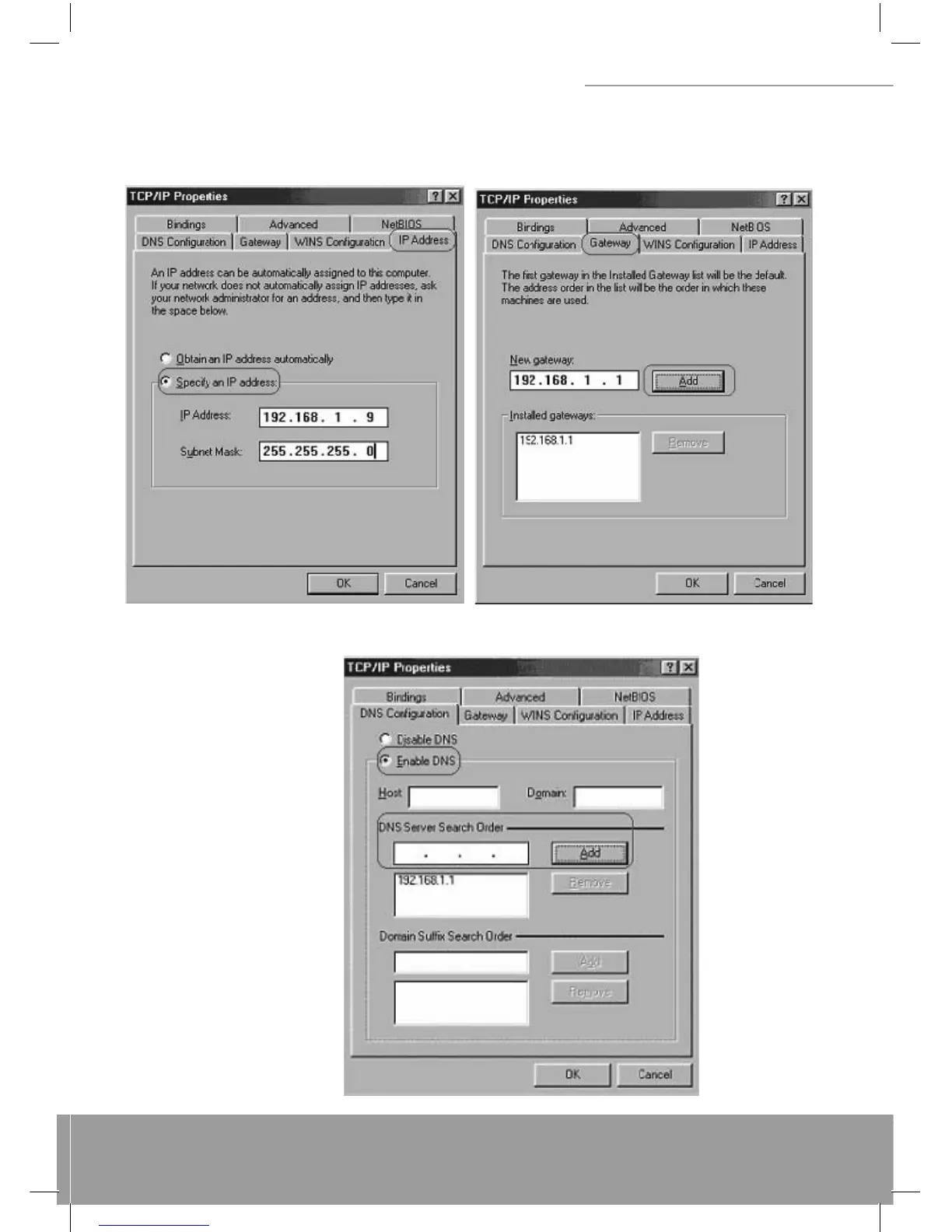
Option2: Confi gure IP Manually
1) At IP Address tab, select Specify an IP address, set default IP address for the Router is 192.168.1.1, so use
192.168.1.X (X is a number between 2 to 254) for IP Address fi eld and 255.255.255.0 for Subnet Mask fi eld.
2) Select Gateway tab and add default Router IP Address “192.168.1.1” in the New gateway fi eld and click Add.
Under DNS Confi guration tab, select Enable DNS and add DNS values
(192.168.1.1) in DNS Server Search Order fi eld then click Add.


 To Next Page