13
1 LED flashing: Battery pack is charged < 15% Charge the battery pack before any
further use. Do not continue until complete discharge.
After the portable actuator has switched off automatically, do not press the on/off button,
this could damage the battery pack.
7. Starting up the Portable Valve Actuator
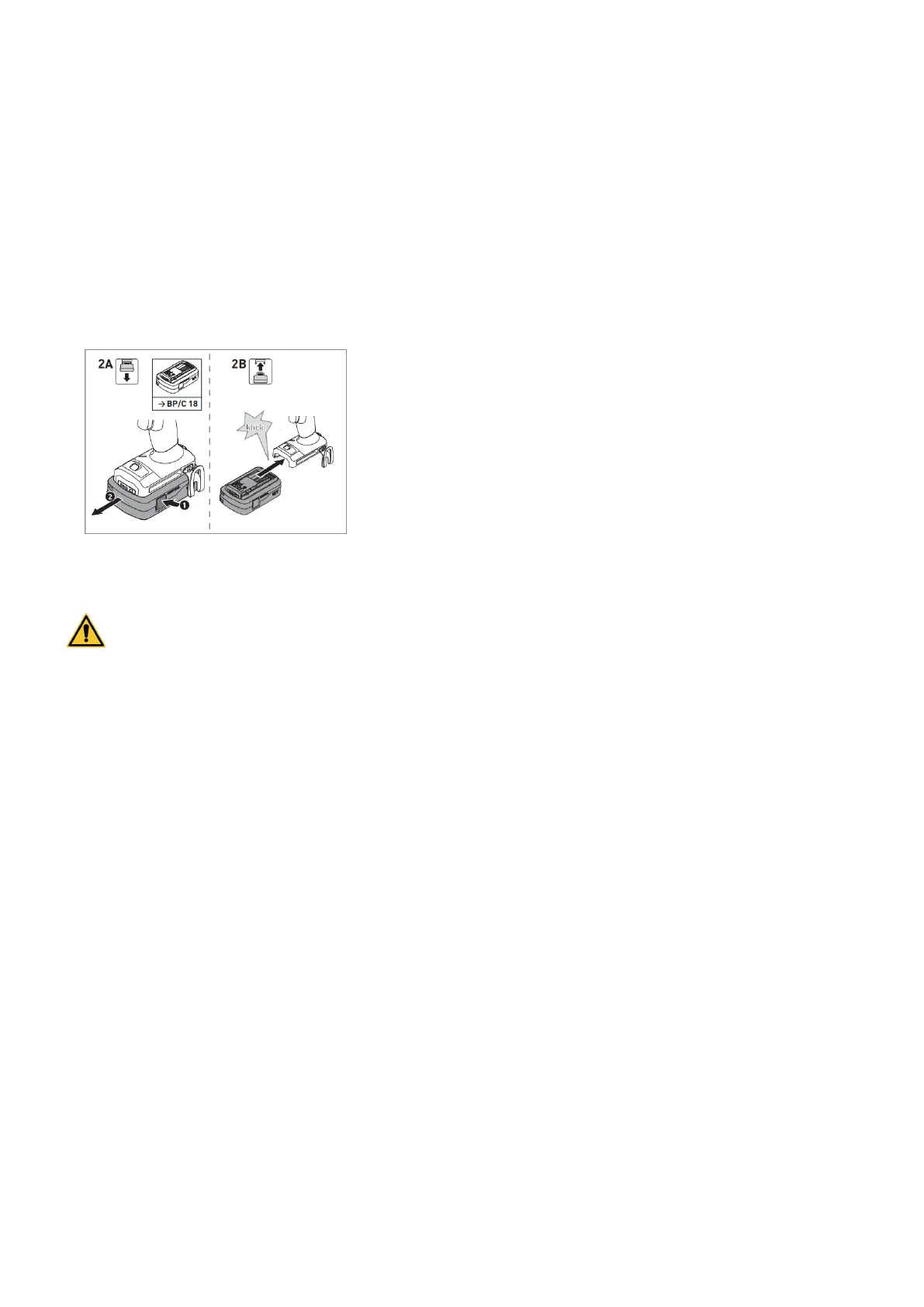
a. Changing the battery pack
INSERTING / REMOVING THE BATTERY
Before using the battery pack, check that the battery
interface is clean. Any contamination of the battery interface
may impair correct contact and lead to the contacts being
damaged. A faulty contact may result in the machine
overheating or being damaged.
b. Settings
Risk of injury! Only adjust the settings when the power tool is switched off and free of
any load.
CHANGING DIRECTION OF ROTATION
Switch to the left = “D1” rotation direction / Right / clockwise
Switch to the right = « D2 » rotation direction / Left / counterclockwise
SETTING TORQUE LIMIT AND SPEED
The maximum speed value can be set with the Speed control trigger (8) on the top of the
actuator. There are 4 possible positions. The torque limit can be set with the thumbwheel
located at the bottom back of the actuator.
Each combination of speed and torque settings provide different rotational speeds and torque
limits. The matrix hereafter shows the values for each combination. Once the desired torque
limit is reached, the actuator beeps twice and stops. It restarts only after releasing and
pressing the power switch again
The torque also depends on the selected speed:
Pos 1: Moderate speed / Max torque
Pos 4: Max speed / Moderate torque



 To Next Page