20
Release the On/Off switch
Install a correct torque reaction system
Press the On/Off switch again
c. Potential problems when actuating a valve
1 – If the actuator sounds a “beep” it means that the required torque is higher than the torque
limit set. Increase progressively the torque limit and try again.
Make sure that the torque limit set doesn’t exceed the valve maximum allowed torque
2 – If the actuator is still unable to start even with a high (or maximum) torque limit, the valve
may be fully open or closed and the selected direction of rotation may not be correct. In this
case, repeat the procedure from the beginning by changing the direction of rotation of the
actuator.
Check again the direction of the torque retention.
3 – In case of resistance resulting from deposits on the stem, turn the valve in both directions
several times to ‘clean’ it. modec revolution counter (optional) enables you to always know
which position the valve is in.
4 – When the closed position is reached, make sure the torque does not exceed the valve
maximum allowed torque. Unless the procedure indicates otherwise, reopen the valve with a
few turns so that the accelerated fluid “cleans” any potential impurities from the valve, then
close it again at the desired torque.
5 – When the maximum open position is reached, reclose with a few turns to avoid the valve
getting stuck in future. Doing this also means that the valve is still able to turn when next
actuated even if the operator turns it the wrong way, which again helps prevent the valve being
stuck.
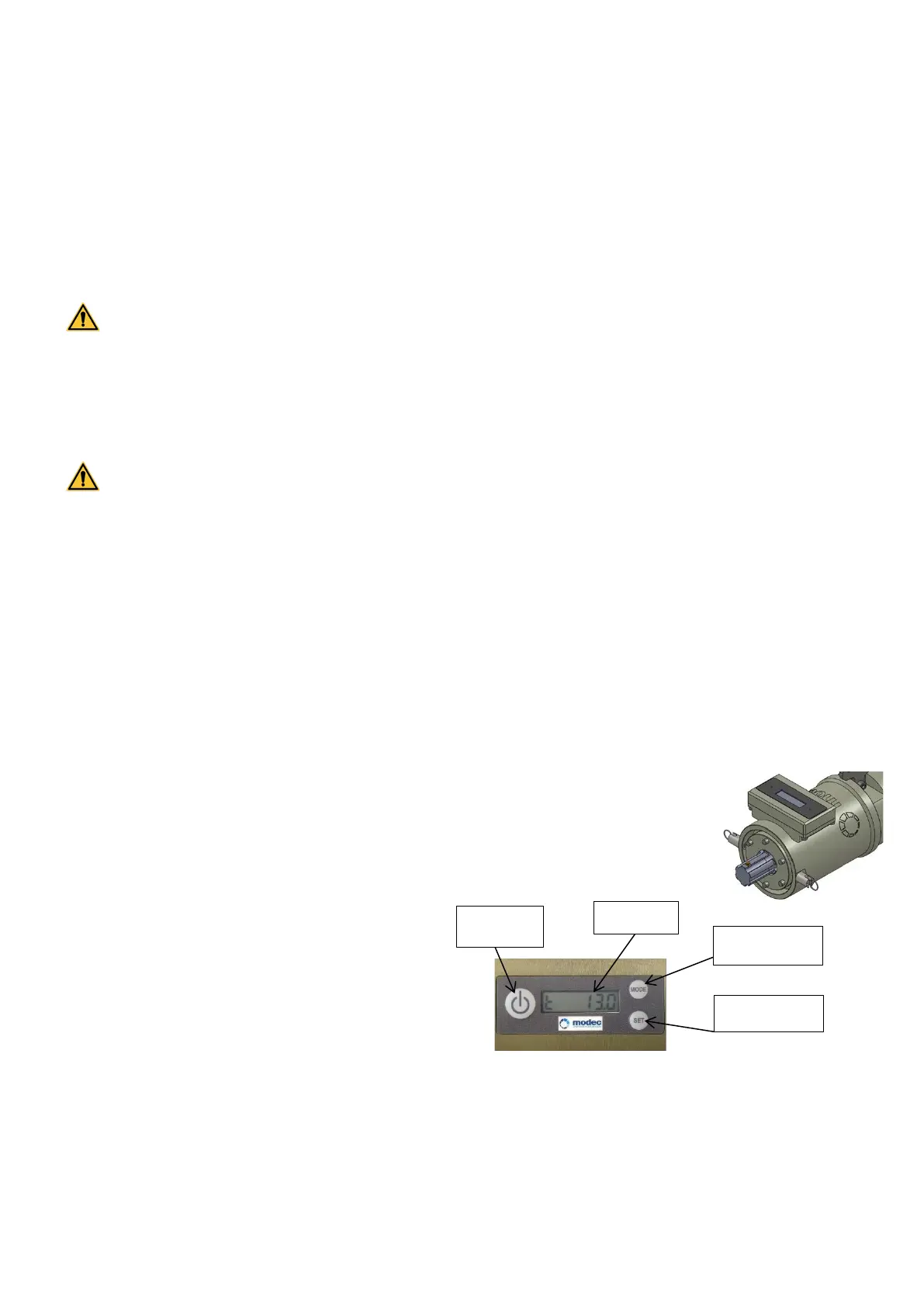
10. Revolution counter (option)
PRESENTATION
The digital Revolution counter adds up the
revolutions in one direction and subtracts
them in the other direction in such a way
that the operator always knows where he
is in relation to the initial set-up. The tool
also measures and shows the rotational
speed.
Note 1 : The instant speed indicator needs several revolutions before it can give a stable and
regular speed. In light of this, you have to wait several seconds to get a reliable reading.
Note 2 : The screen turns itself off after 5 minutes.



 To Next Page