RESEARCH AND DEVELOPMENT
14
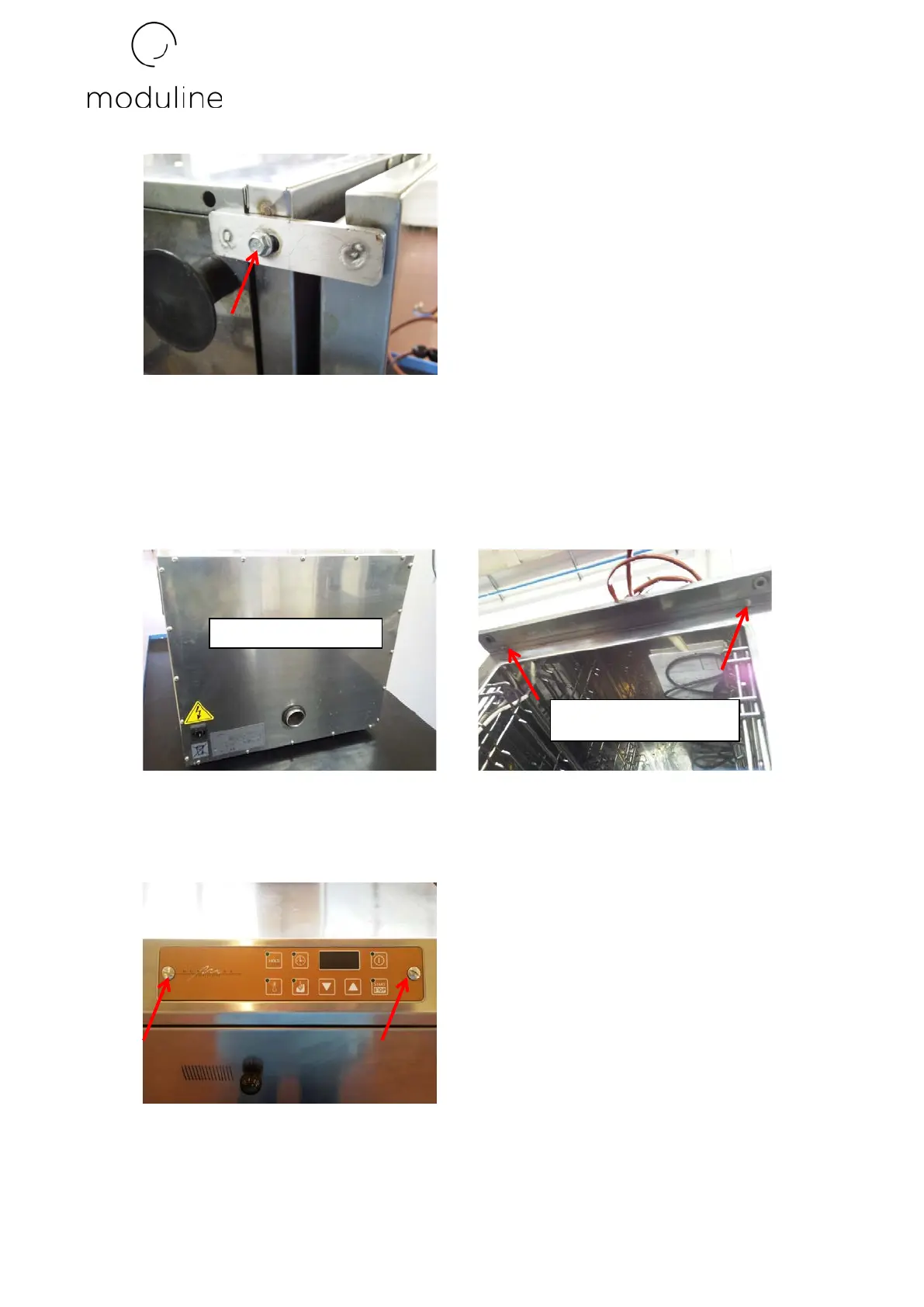
For models with drawers pull the drawers from the machine.
2) Unscrew the screws at the back of the machine and remove the closing panel. Also
unscrew the 2 screws on the front of the appliance below the front control panel.
3) Unscrew the 2 screws blocking the control panel and disassemble the board as described in
the paragraph “replacing PC board” concerning failures and relative technical
interventions.
4) Place the machine on its side in order to be able to unscrew the screws at the bottom.
Front of the machine


 To Next Page