ImageXpress Micro High Content Imaging System Options User Guide
34 5014166 D
5. If required, empty the waste bin.
6. Load an unlidded plate with the live-cell sealing ring on the top.
See
Loading the Sample Plate on page 18.
To Configure Fluidics in Meta Imaging Series Administrator
If you change tips, from a 96-well to a 384-well tip, or from a 384-well to
a 96-well tip, you need to configure the fluidics as described in the
following procedure.
1. Click Start > Programs > MetaXpress and then right-click Meta
Imaging Series Administrator and select Run as administrator to
start the MetaXpress Meta Imaging Series Administrator
software.
2. Click Configure Hardware.
3. In the Configure Hardware dialog, select the correct hardware
configuration, and then click Configure Devices.
4. In the right pane of the User Settings for hardware configuration
dialog, click ImageXpress Micro Fluidics, and then click Settings.
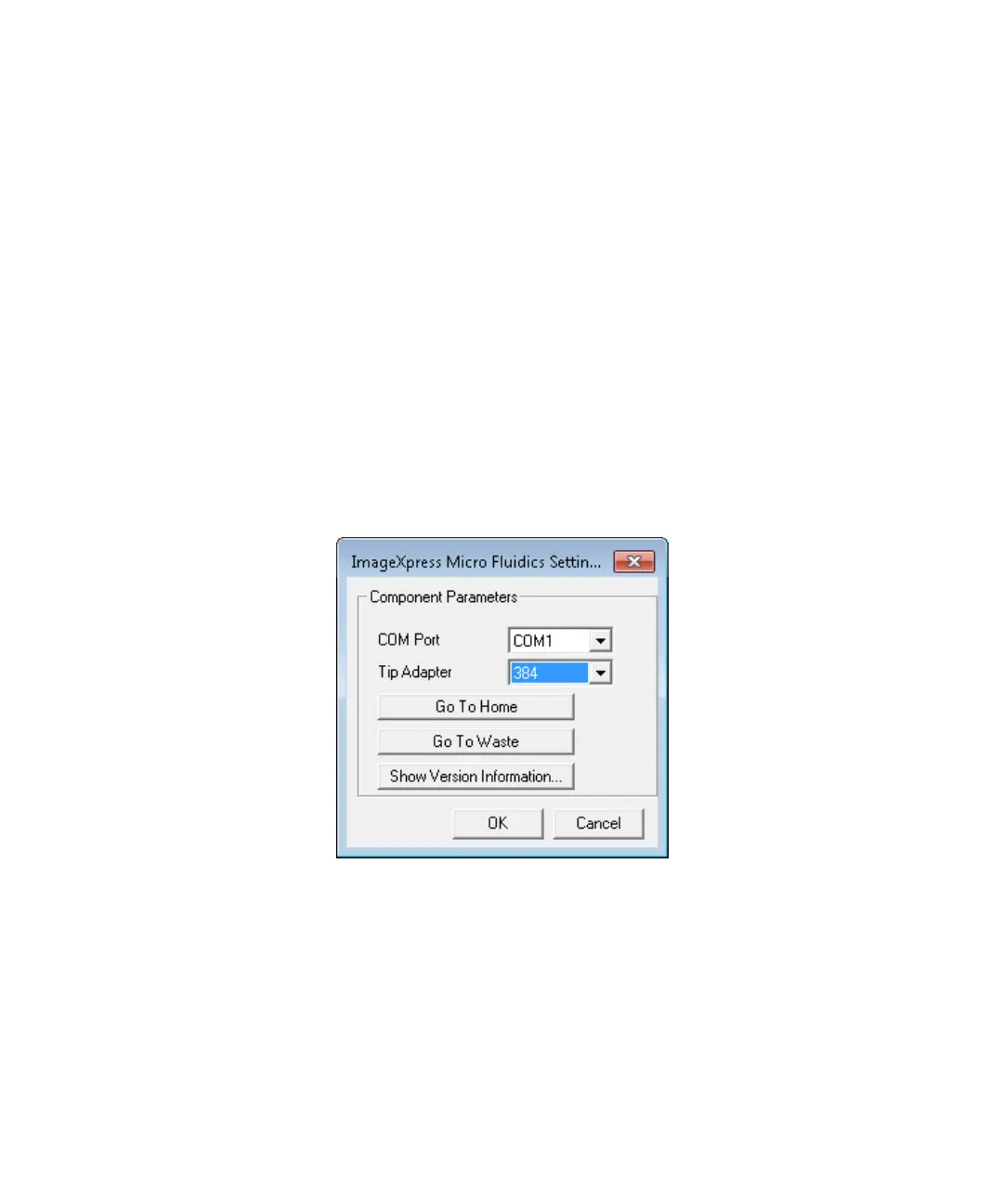
Figure 2-2: ImageXpress Micro Fluidics Settings dialog
5. In the ImageXpress Micro Fluidics Settings dialog, If applicable,
change the tip adapter or the COM port.
ImageXpressOptionsUserGuide.book Page 34 Wednesday, September 9, 2015 3:54 PM



 To Next Page