Environment Control Option Operations
5014166 D 21
Environment Control Software
The MetaXpress software controls the ImageXpress Micro System
screening and monitors the system’s environmental parameters. You can
check Environment Control settings and connections in the MetaXpress
software.
To check the Environment Control settings
1. In the MetaXpress software, click Devices > Environment
Control.
In the simplified menu, click Control > ImageXpress >
Environment Control.
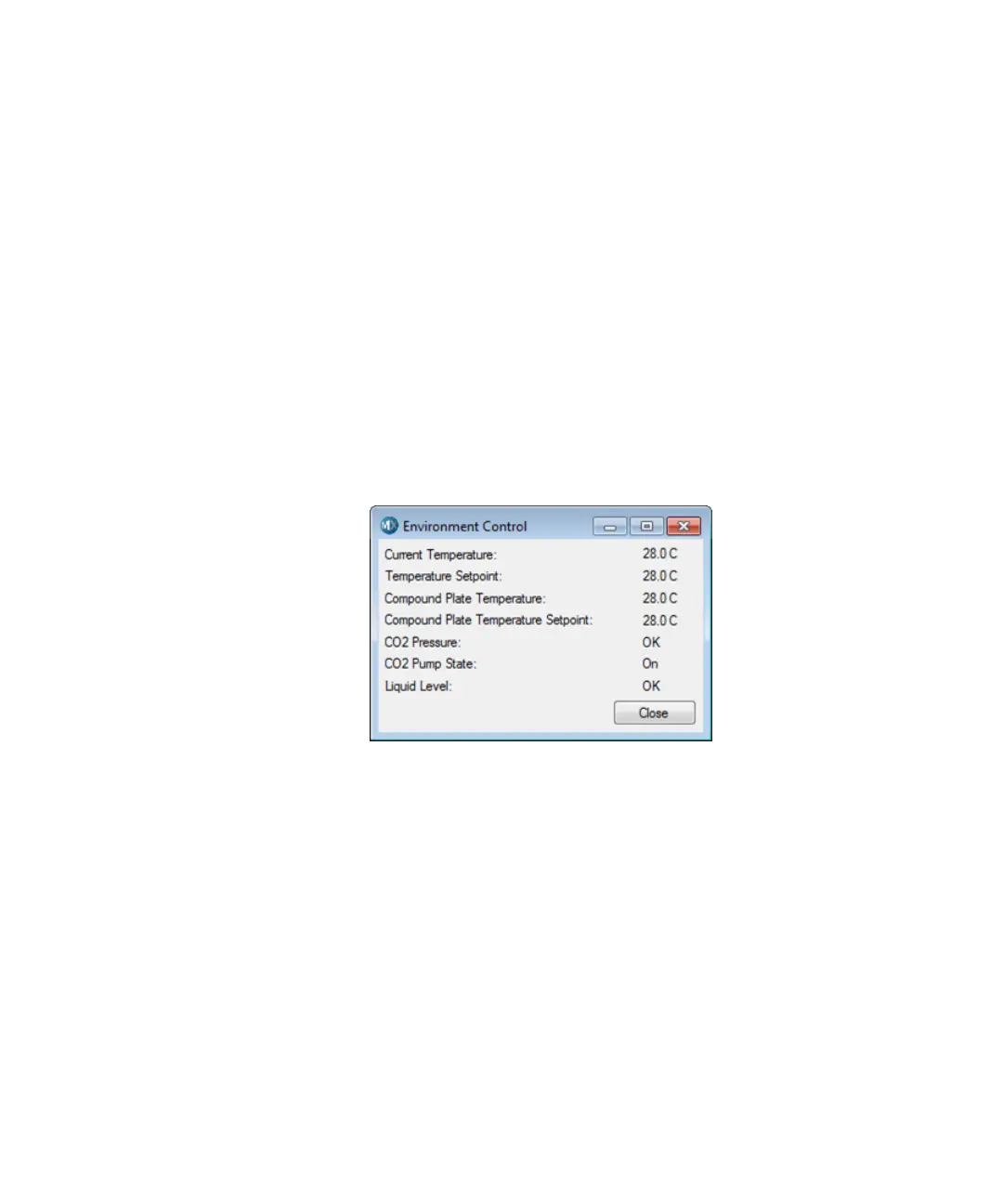
In the Environment Control dialog, the Current Temperature
and the Temperature Setpoint values are displayed.
Temperature is recorded in degrees Centigrade.
Carbon dioxide pressure is recorded as Low or OK.
Figure 1-10: Environment Control dialog
When the top door of the ImageXpress instrument is opened, the
MetaXpress Software triggers the environment control to increase the
flow rate of the carbon dioxide in order to flood the chamber with
humidified and carbon dioxide-controlled air. When a plate is loaded, the
system transiently purges the carbon dioxide at a higher flow rate.
However, the MetaXpress Software does not control the parameters,
such as the level of CO
2
or temperature. These parameters are controlled
directly through their hardware devices, such as the temperature
controller on the Environmental Control Option Controller or the
Systems Power & Options Controller (Figure 1-1 on page 11 and
Figure 1-2 on page 11) and the regulator on the carbon dioxide tank.
ImageXpressOptionsUserGuide.book Page 21 Wednesday, September 9, 2015 3:54 PM


 To Next Page