Transmitted Light Option Operations
5014166 D 59
Transmitted Light Software Configuration
You can create illumination settings to turn the lamp on and off. Do the
following procedure to create illumination settings named Transmitted
Lamp Off and Transmitted Light, and to set a level for the lamp
illumination.
To configure transmitted light settings in the MetaXpress
software
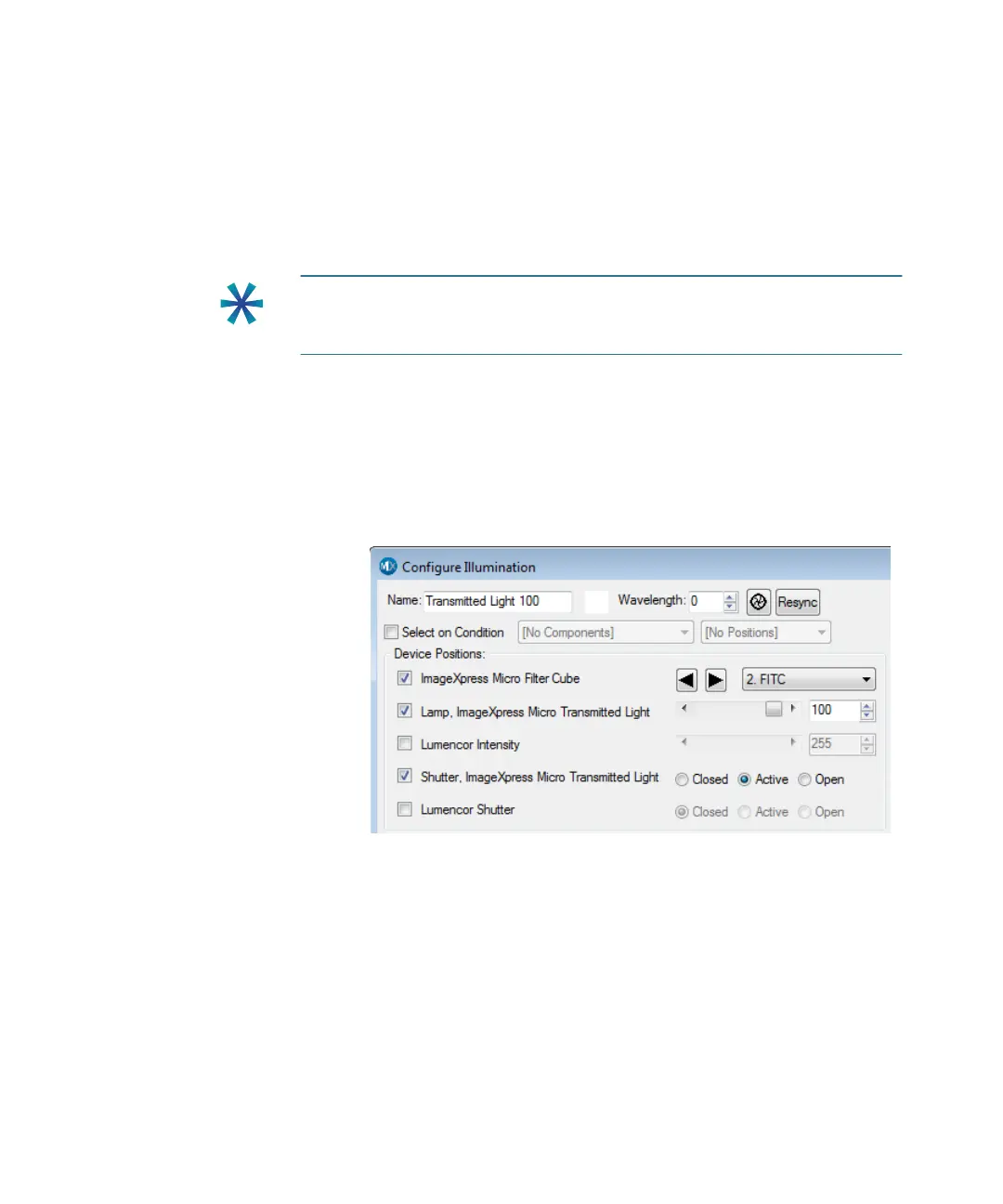
1. In the MetaXpress software, click Devices > Configure
Illumination.
In the simplified menu structure, click Control > Devices >
Configure Illumination.
Figure 4-5: Configure Illumination dialog: Lamp On
Tip: Do not turn the transmitted light on and off or adjust the lamp
power during acquisition. Doing so takes a considerable amount of time
and can possibly damage the lamp.
ImageXpressOptionsUserGuide.book Page 59 Wednesday, September 9, 2015 3:54 PM



 To Next Page