Environment Control Option Operations
5014166 D 27
Reviewing Timelapse Data
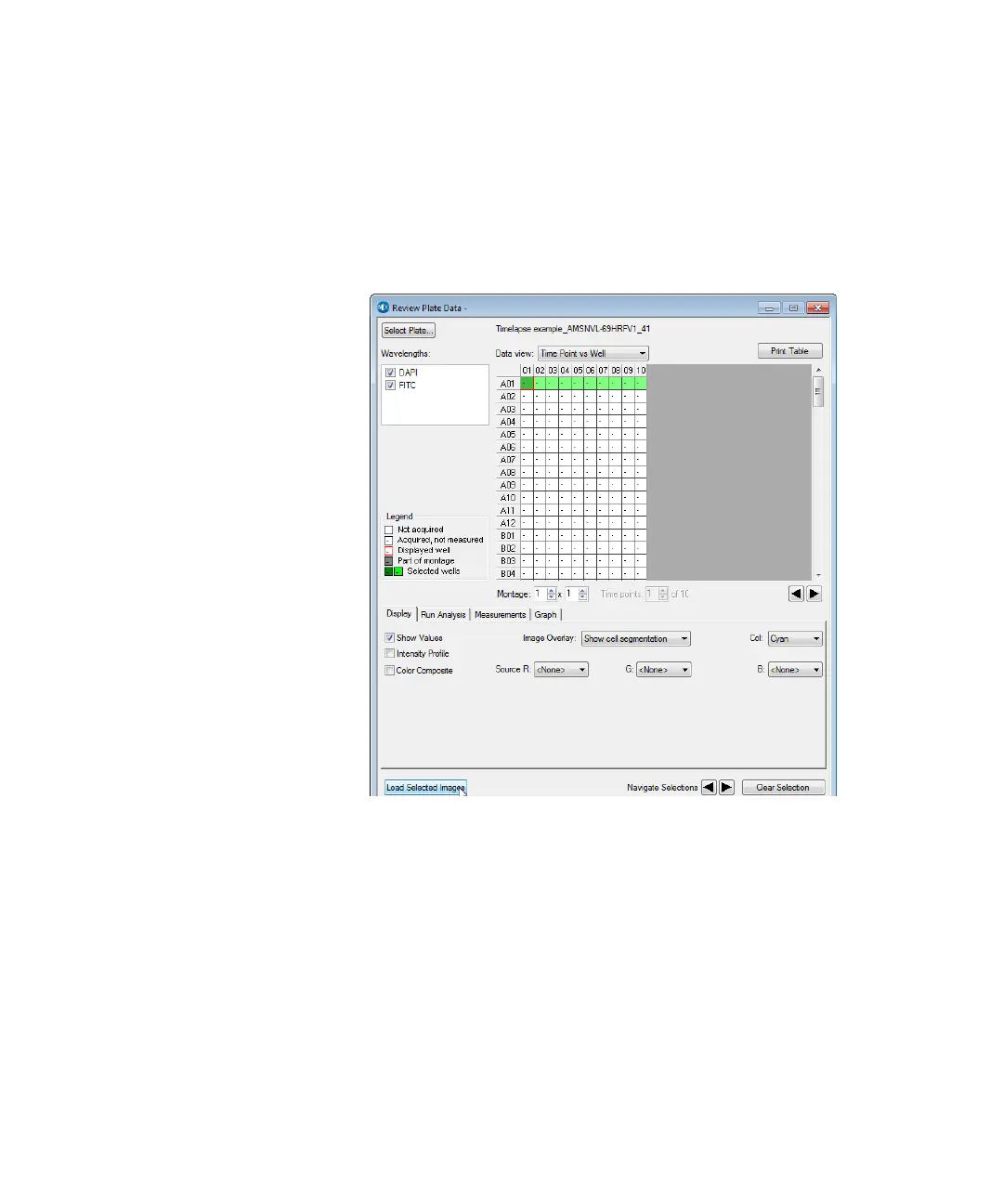
As with other ImageXpress System data, timelapse data is displayed in
the MetaXpress software Review Plate Data dialog.
To review the timelapse data
1. In the MetaXpress software, click Screening > Review Plate Data.
Figure 1-16: Review Plate Data dialog
2. Click Select Plate.
3. In the Select Plate for Review dialog, select a plate, and then
click Select.
4. In the Data view list, click Time vs Well. The montage displays
thumbnails of each time point.
5. To create a stack for viewing as a movie, right-click on one well to
select it.
The well changes color to indicate that the well is selected.
ImageXpressOptionsUserGuide.book Page 27 Wednesday, September 9, 2015 3:54 PM



 To Next Page