ImageXpress Micro High Content Imaging System Options User Guide
40 5014166 D
13. Click OK to close the Fluidics System Properties dialog and
return to the Configure Fluidics Stations dialog.
14. If applicable, click Define Tips and in the Define Tips dialog,
define additional tip types, and then click Save.
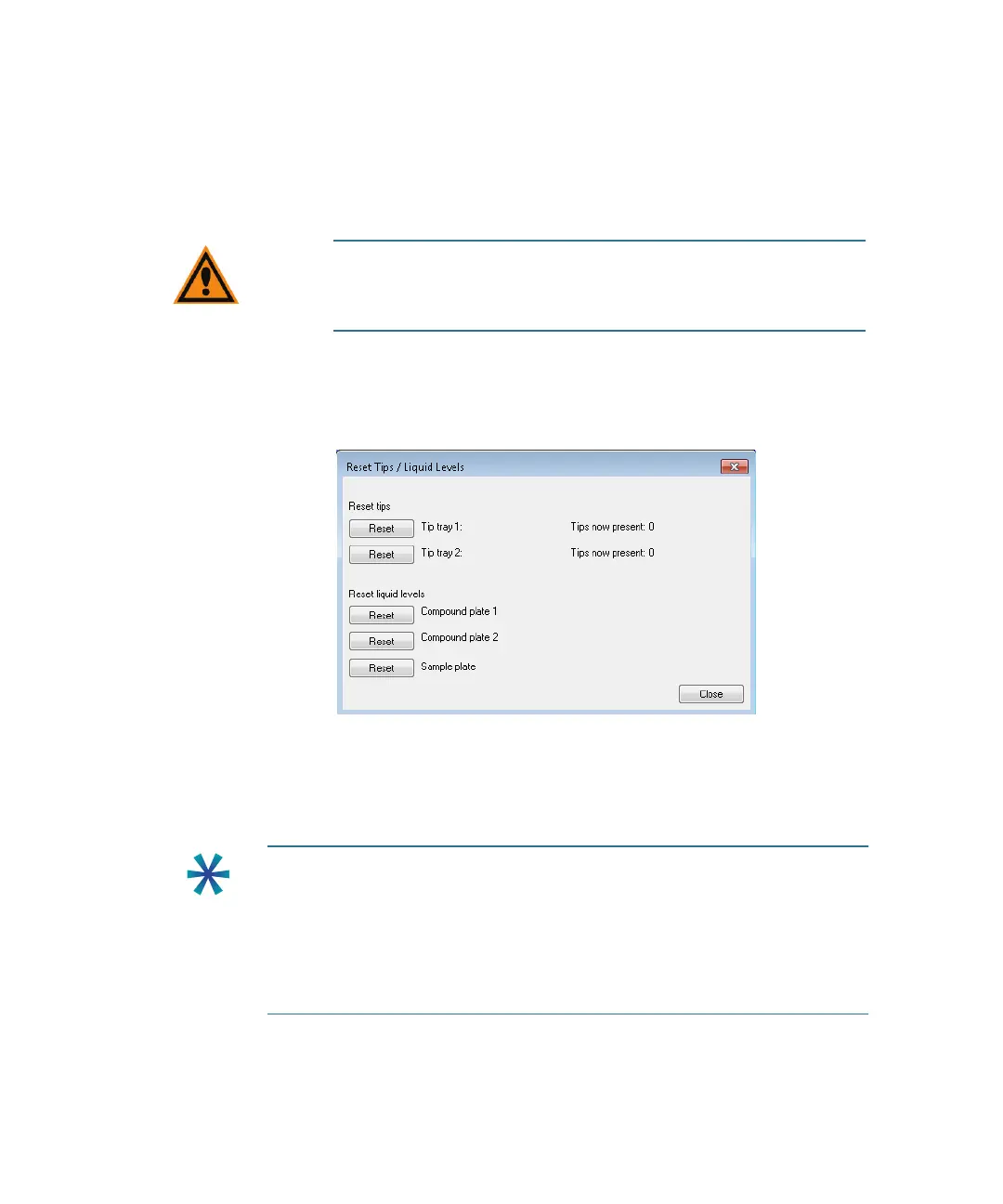
15. After you have completed a dispensing cycle, to indicate that you
have reloaded tip racks and plates, click Reset Tips, and on the
Reset Tips/Liquid Levels dialog, click Reset for the appropriate
tip trays and plates, and then click Close.
Figure 2-8: Reset Tips/Liquid Levels dialog
Manual Fluidics Control
Do the following procedure to control the fluidics station manually.
CAUTION! Improper tip definitions can cause the pipette tip to
crash into the sample plate. Molecular Devices recommends
that you do not make changes to the standard tip definitions.
Tip: The fluidics interface enables you to transfer fluid from one well of
the compound plate to a corresponding well in the sample plate. If you
need to transfer fluid between non-corresponding wells, or if different
actions need to be performed for different wells, record these actions in
a journal (custom routine) to accomplish this. See
To record the steps in
a journal on page 42
. You can add journals as events when you run an
experiment. See To configure a fluidics experiment on page 43.
ImageXpressOptionsUserGuide.book Page 40 Wednesday, September 9, 2015 3:54 PM



 To Next Page