SETTINGS (cont.)
Monitor Settings
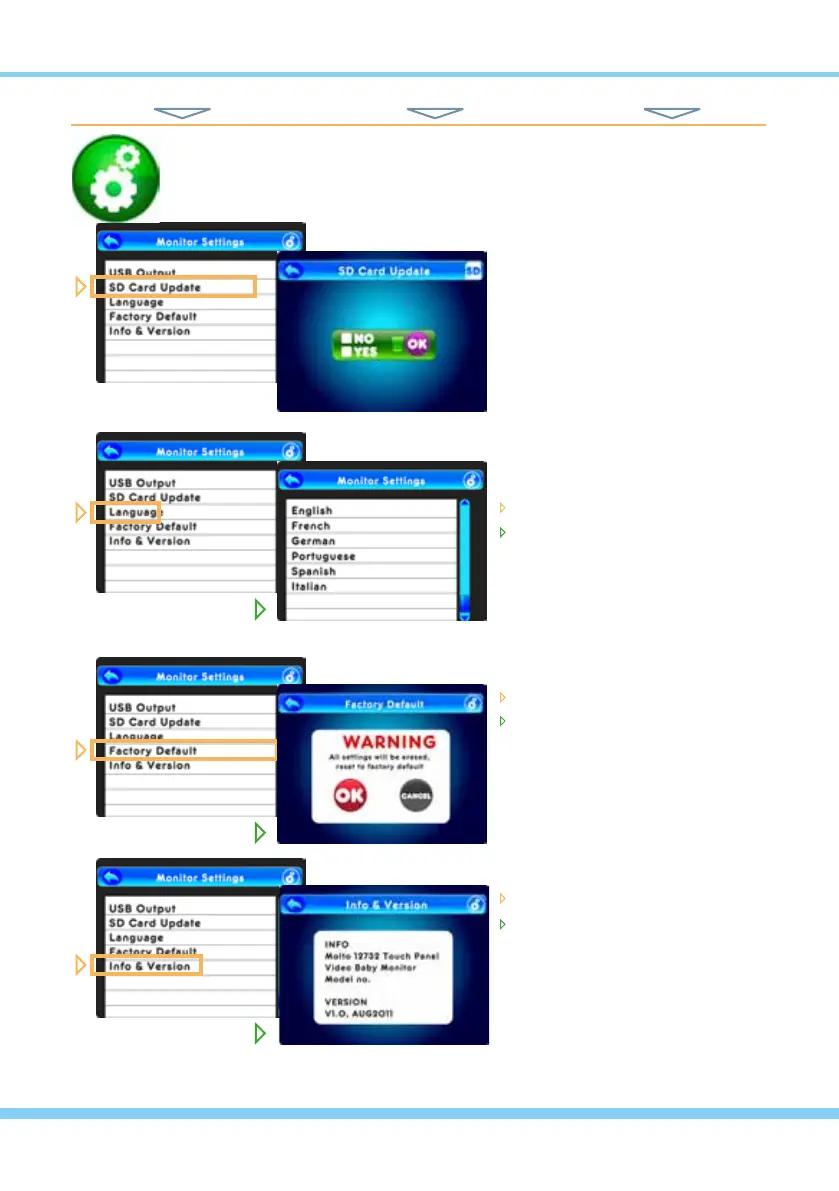
From the Monitor Setting list...
NOTE: Though shown here for
reference, this function to be used
ONLY for Updating System Fir-
mware, to be downloaded and put
onto an SD card, in order to be
installed using this option. Specic
instructions will be
provided to registered users
regarding any new rmware.
From the Monitor Setting list...
touch Language
touch one of the 6 specic Lan-
guages you want the monitor to
show in all text displays
From the Monitor Setting list...
touch Factory Default
choose OK to reset all settings,
or Cancel if you change your
mind
From the Monitor Setting list...
touch About & Version
here you will see the product
name and manufacturer, and
the latest version of the installed
rmware
TOUCH NAVIGATION ... touch the ESC Button to open the Main Menu on screen
from Main Menu... ... to These Screens... ... to Do This...
HINT: To move back one screen touch Return icon or go to camera view by pressing the ESC Button.
16



 To Next Page