30
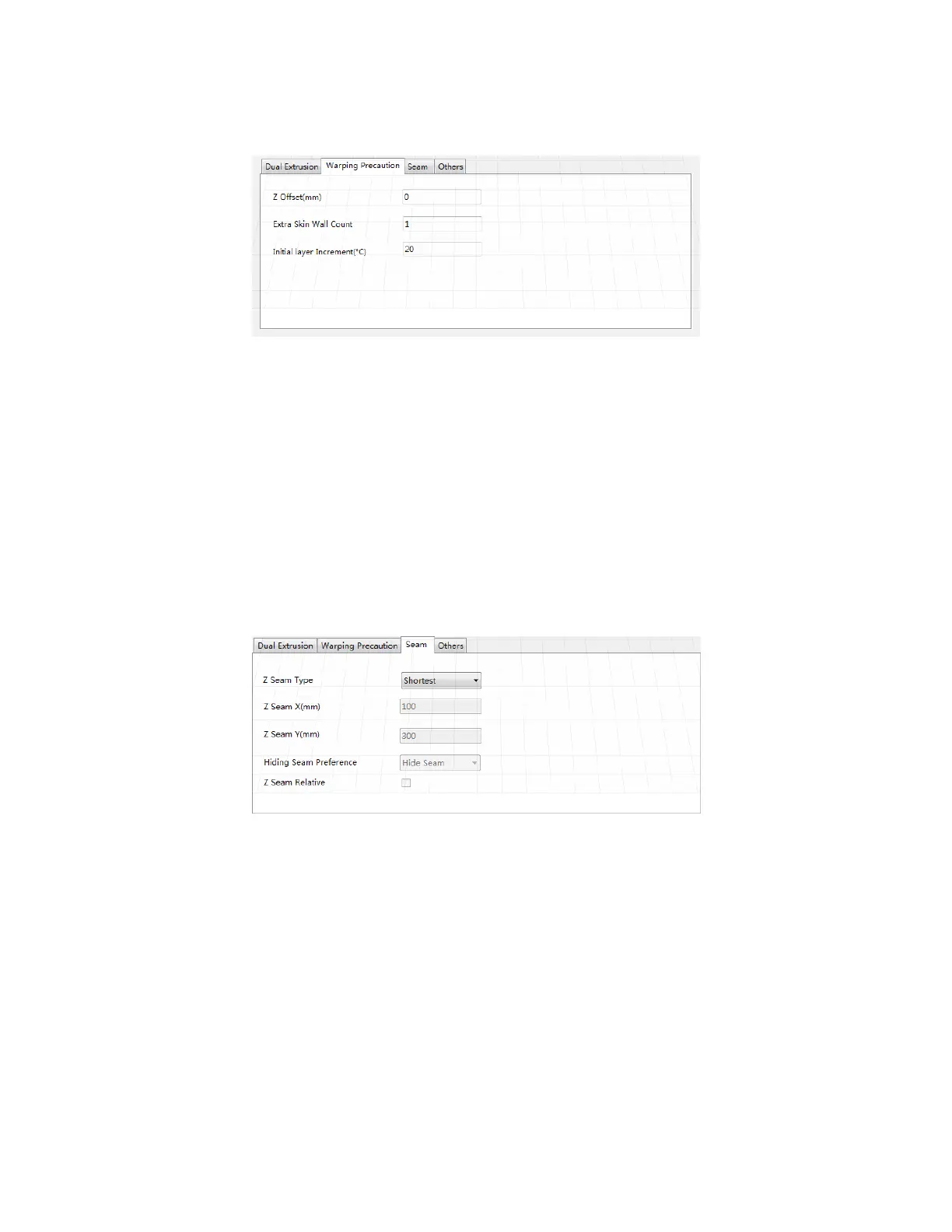
Warping Precaution Tab
Z Offset (mm): When the Z axis bias is set to negative, the nozzle will print closer to
the build platform, which helps reduce warping on large models.
Extra Skin Wall Count: This value sets the number of contours on the outer surface
of the model.
Initial Layer Increment (°C): This value is used to increase the printing temperature
of the first layer, which helps reduce warping on large models.
Seam Tab
Note: The Z Seam is where the printer finishes its motion when printing the skin (outside
layer) of a model. This can result in a small blob or zit where the printer changes the Z
height. If in alignment, there can be a noticeable line up the side of the print, referred to as
a Z Seam, because the filament continues to ooze at the start/stop location. The options
on this screen are used to mitigate this effect.
Z Seam Type: Determines where the Z Seam will appear.
o Shortest: This option selects the most time efficient start/stop location.


 To Next Page