35
CARE AND MAINTENANCE
All 3D printers require periodic maintenance, including several maintenance tasks that
should be performed daily.
Cleaning the Nozzle
Extruded filament and filament particles can accumulate around the nozzle. Use tweezers
and a cleaning cloth to remove extraneous filament.
Clearing a Blocked Nozzle
The nozzle can become blocked from time to time. Perform the following steps to clear a
blocked nozzle.
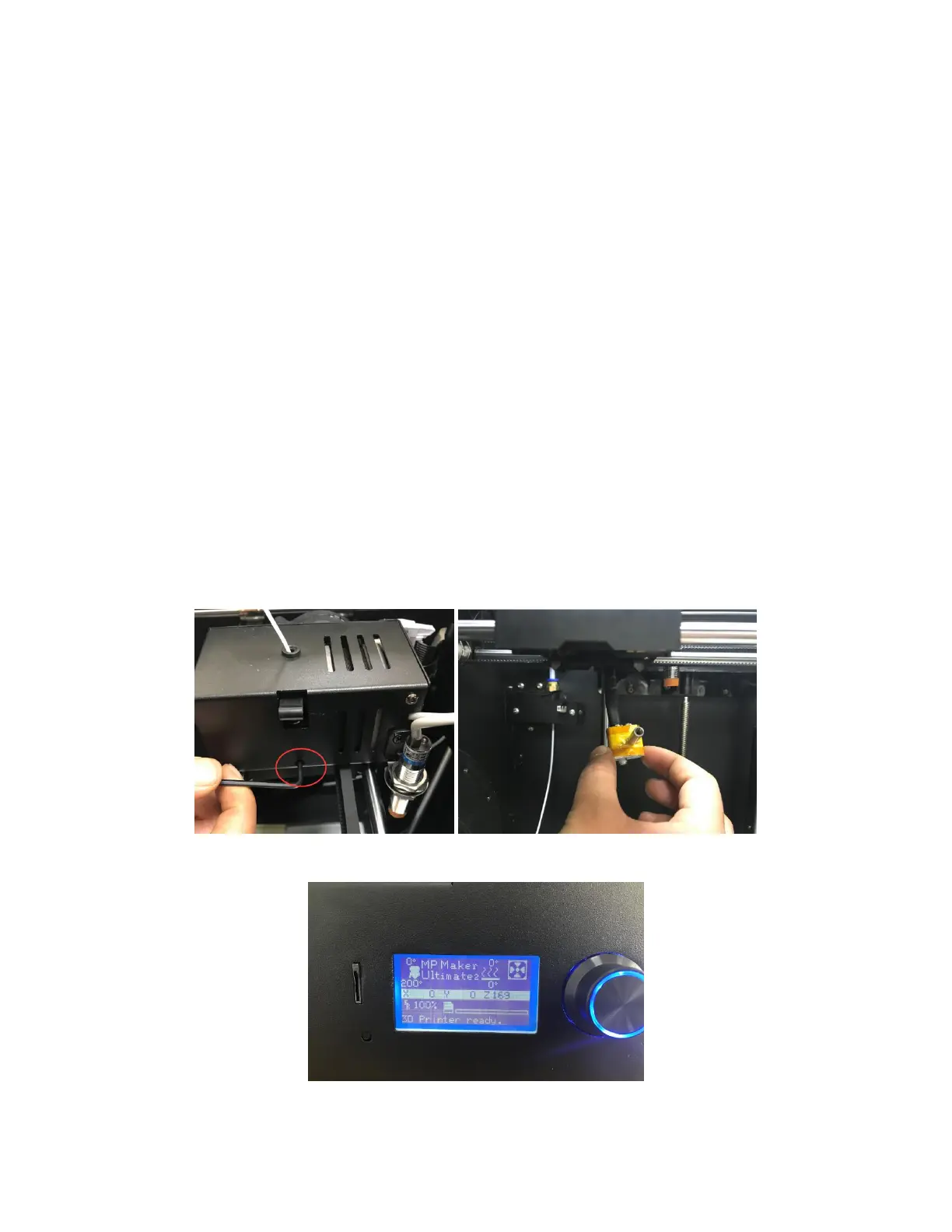
1. Use a 2.5mm Allen wrench to loosen the screw shown in the image below and to
the left, then unplug the nozzle.
2. Heat the nozzle to 200°C.


 To Next Page