32
Skin Alternate Rotation: Typically, a 3D printer will print solid layers for the top and
bottom layers. When doing this, it changes direction 90 degrees from layer to layer.
This setting changes that behavior to add an additional 45 degrees of rotation every
two layers.
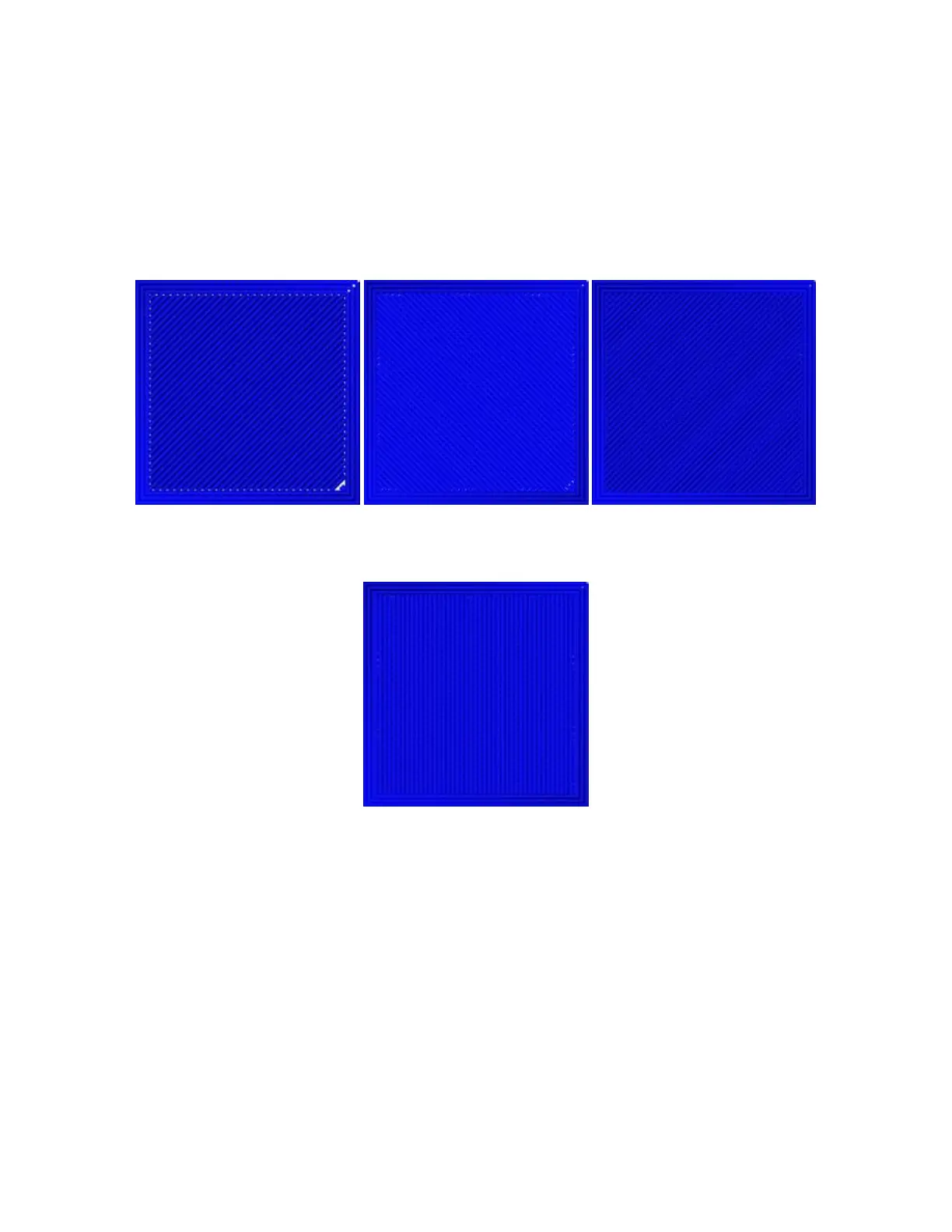
The following images illustrate the normal print direction of the first three layers.
The following image illustrates the print direction of layer three when the Skin
Alternate Rotation option is enabled.
Enable Print Cooling: When enabled, cooling air will be directed at the printed part.
Enable Draft Shield: When enabled, this printer will print a wall around the model to
prevent environmental breezes or drafts from affecting the cooling. This is typically
used when Enable Print Cooling is disabled for filament that needs a longer cooling
time, such as ABS.
Wall Line Count: This option determines the number of walls to print.


 To Next Page