One-Net/DASDEC User Manual 3-2v3.0 | r0616
Direct Connecon
Direct Connecon
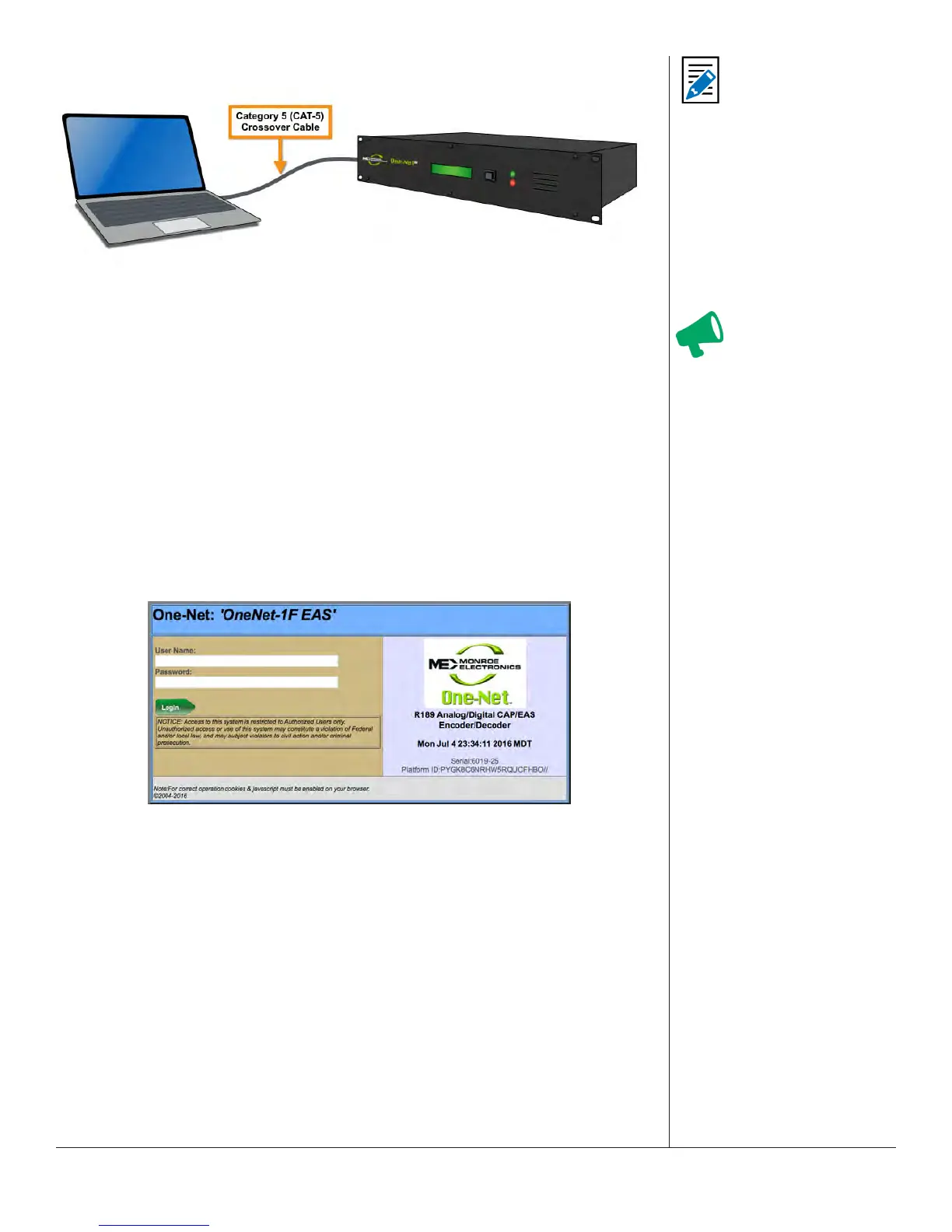
1. Connect one end of the factory supplied CAT-5 network crossover cable to the
Main Network Interface port (12) at the back of the EAS device, and the other end
to the network interface port of a standalone PC or laptop computer.
Once the EAS plaorm is powered up and completely booted, it can be accessed
via a web browser launched from the directly connected, customer-supplied
standalone computer.
2. Congure the standalone computer to use the stac IP address 192.168.0.100 with
a subnet mask of 255.255.0.0. The standalone computer and the EAS device should
now be able to communicate.
3. Launch a web browser and type hp://192.168.0.200/ into the address bar. If a
log-in screen similar to the one shown below appears, communicaon with the EAS
device has been achieved. Skip to the EAS Device Login secon of this chapter for
instrucons on logging into the device.
Web Interface Login Screen
4. Once the EAS devices’ IP address and subnet mask have been congured to
correspond with your facilies’ computer network addressing scheme, it will no
longer be accessible from the standalone computer.
5. Reset the standalone computers’ network conguraon back to its original sengs,
remove the network crossover cable from both devices, and plug a house network
cable into the EAS device.
6. The EAS device will now be accessible via a web browser running on any remote
computer on the local area network.
7. Type the EAS devices’ new IP address into the address bar of a web browser to
access the login screen.
Aenon
It is advised that you
contact a network
administrator before
starng the following
procedure, as a valid
IP address and subnet
mask sengs are
required to complete
this inial setup.
Working knowledge
of how to change the
network sengs of the
standalone computer is
also necessary.
Note
Write down the current
IP address and subnet
mask sengs of your
local computer before
making changes.
This informaon
will be useful when
reconguring back to its
original sengs.


 To Next Page