One-Net/DASDEC User Manual 3-3v3.0 | r0616
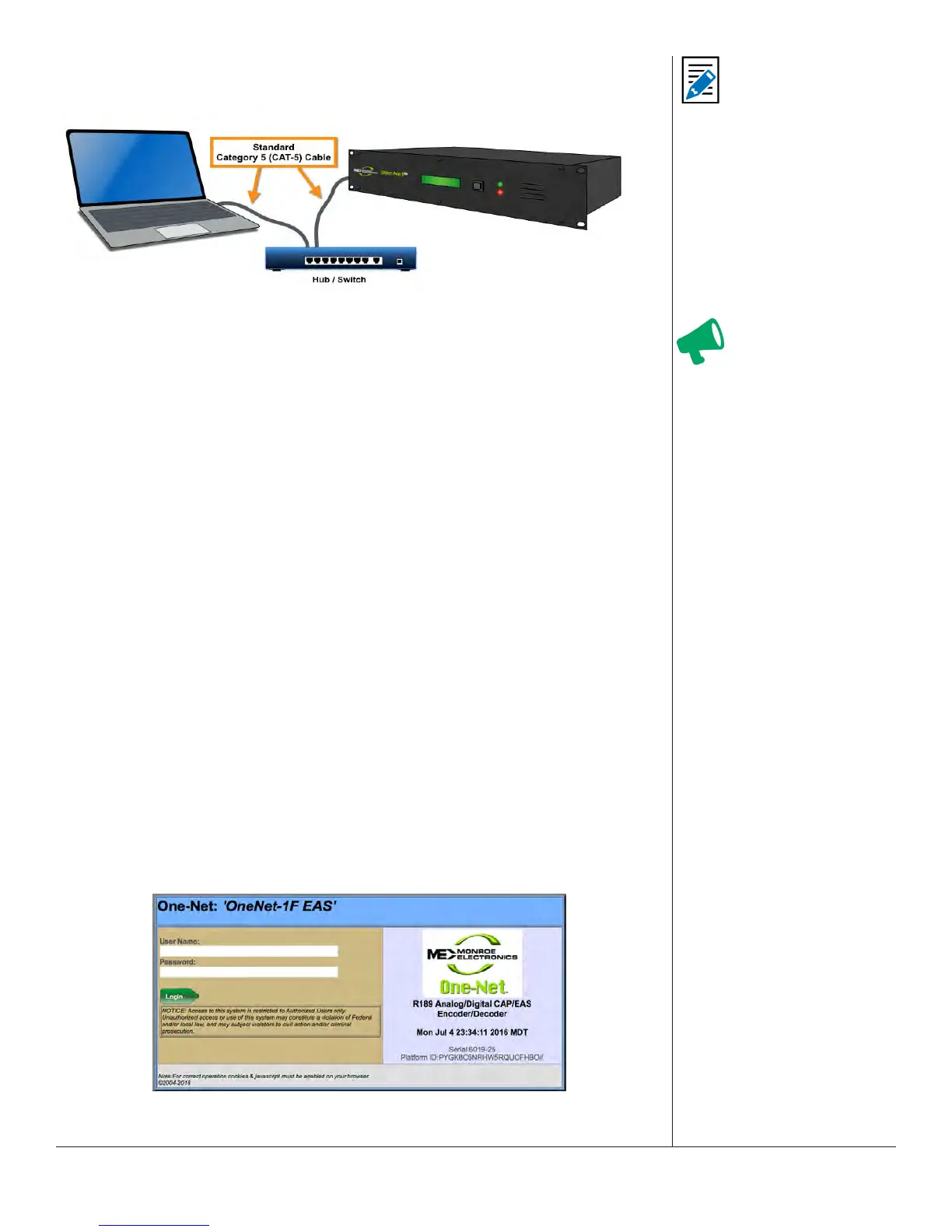
Hub/Switch Connecon
Hub/
Switch Connected
The primary dierence between this type of connecon and the direct connecon
method is the inclusion of addional networking hardware.
1. Connect a standard CAT-5 network cable to the Main Network Interface port (12) at
the back of the EAS device and the other end into the open port of a roung hub or
other network switching device.
2. Once the EAS device is powered up, booted, and operaonal, it should be
accessible via a web browser running on any remote computer on the local area
network routed to see the address 192.168.0.200.
3. Congure the remote computer to use the stac IP address 192.168.0.100, with a
subnet mask of 255.255.0.0. The remote computer and the EAS device should now
be able to communicate.
4. Launch a web browser and type hp://192.168.0.200/ into the address bar. If a
log-in screen similar to the shown below appears, communicaon with the EAS
device has been achieved. Skip to the EAS Device Login secon of this chapter for
instrucons on logging into the device.
5. Once the EAS devices’ IP address and subnet mask have been congured to
correspond with your facilies’ computer network addressing scheme, it will no
longer be accessible from the remote computer.
6. Reset the standalone computers’ network conguraon back to its original sengs.
7. The EAS device will now be accessible via a web browser running on any remote
computer on the local area network.
8. Type the EAS devices’ new IP address into the address bar of a web browser to
access the login screen.
WEB INTERFACE LOGIN
Web Interface Login Screen
Aenon
Consult with a network
administrator to
ensure the default
network address of
192.168.0.200 and
192.168.0.100 will be
visible on the network,
and will not clash with
an exisng node. If
this method of inially
accessing the EAS
device is not successful,
refer to the Direct
Connecon procedure.
Note
If you are aempng to
perform the following
procedure, exisng
network sengs
within these addional
network hardware
components may
prevent the ability to
communicate with the
EAS device.


 To Next Page