One-Net/DASDEC User Manual 1-3v3.0 | r0616
Select Buon
The Select buon on the front panel is used to manually iniate a Required Weekly Test
(RWT), or to acknowledge unforwarded acve alerts.
• Press the Select buon once to being a manual RWT; the second line of the LCD
displays Press again for RWT. Press the Select buon a second me to begin the
RWT alert. (See Chapter 7 - One Buon Alert for more informaon.)
• When an alert has been decoded and is waing to be forwarded, press the Select
buon to acknowledge that alert. The LCD temporally shows Acknowledging.
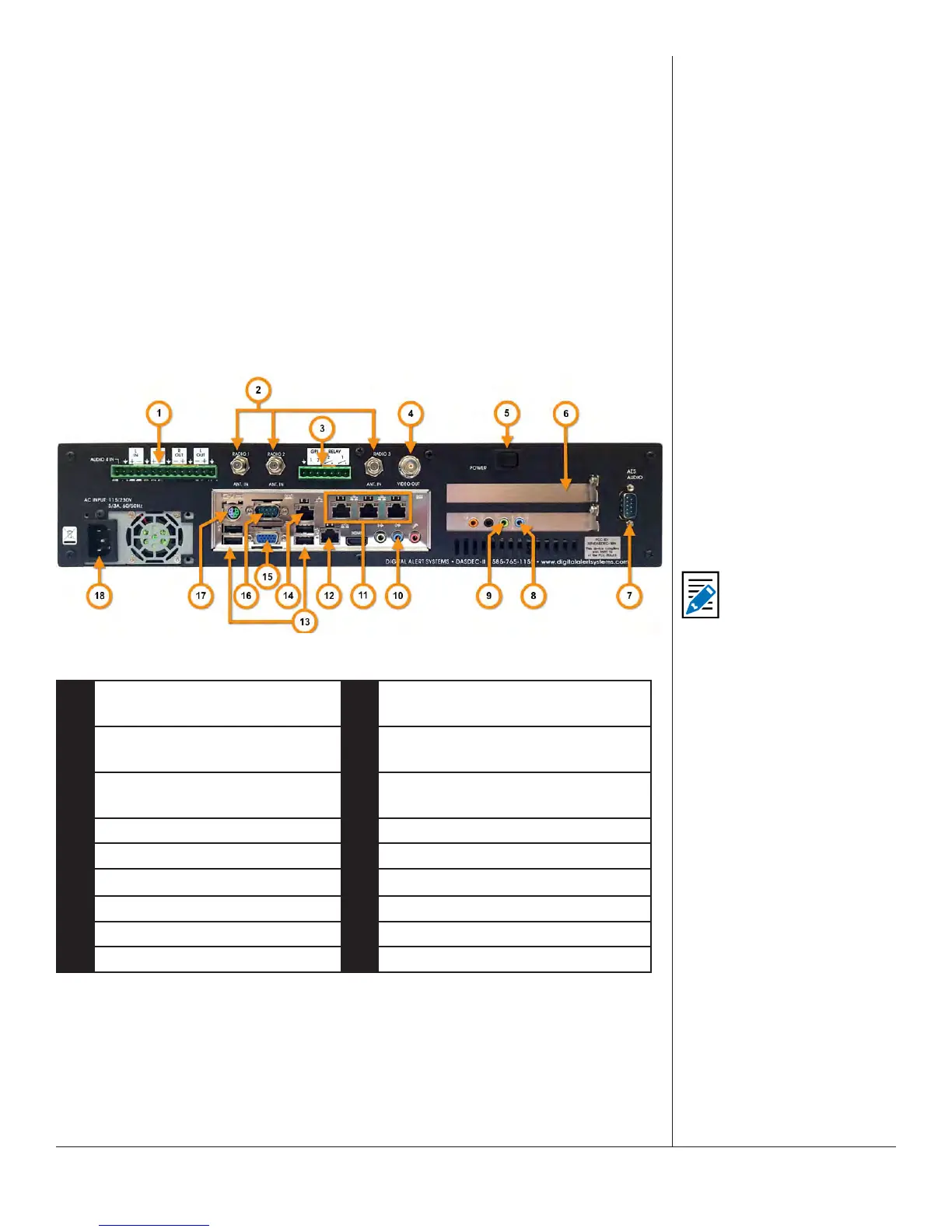
BACK PANEL
The back panel provides all of the connecons necessary for the EAS device.
Back Panel
1 Program Audio / Aux. Audio 4
Terminal Block
10 Main Audio - Line Input 1 & 2
2 Radio Antenna Connectors
(Radio 1, 2, & 3)
11 Triple Port Gigabit Ethernet
Expansion (oponal)
3 General Purpose Input/Output
Terminal Block
12 Main Network Interface
4 BNC Video Out (oponal) 13 USB Ports
5 Power Switch 14 Second Network Interface
6 Expansion Slot 15 VGA
7 AES Program Audio (oponal) 16 Serial Port (COM1)
8 Aux. Audio - Line Input 3 & 4 17 PS/2 Port
9 EAS Audio Out 18 Power Receptacle
Note
The unit provides
soware support
for the Video Out,
Ethernet Expansion,
and AES Program Audio
as licensed opons.
Any connecons not
labeled, such as HDMI,
are not supported and
are not operaonal.


 To Next Page