One-Net/DASDEC User Manual 4-2v3.0 | r0616
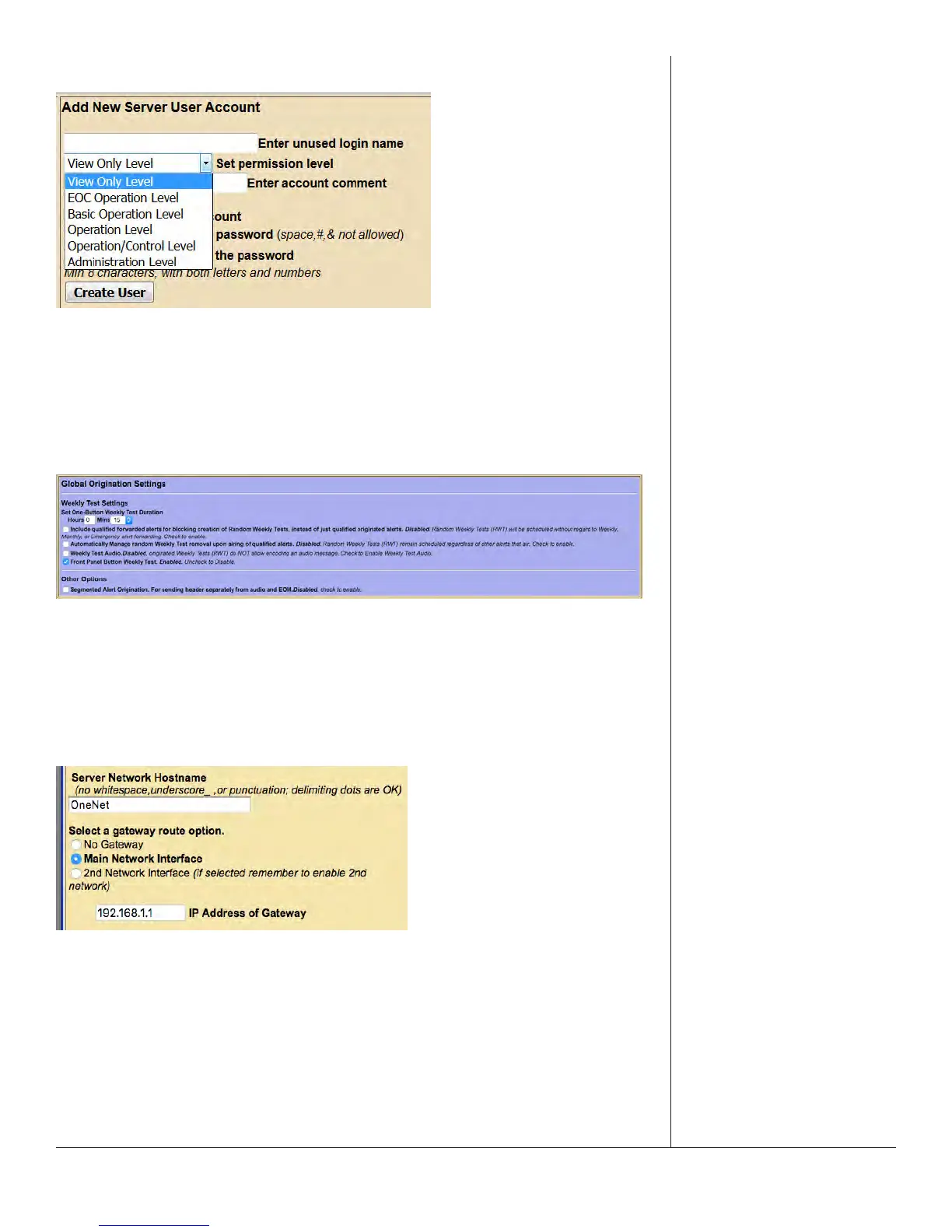
Pull-Down Menus
Allow users to select from a list of predened conguraon parameters. Many
pull-downs have stac selecons, but several have selecons that change according
to modicaons made in the EAS unit. Click on the pull-down menu to see a list of
selecons; move the mouse to the desired item and click on it to select it.
Check Boxes
Used to select an individual item within the web interface. Unlike radio buons, check
boxes are not ed to any other check box. Check boxes may also display addional
informaon within the web interface, and will not change any conguraon sengs.
Click the center of the check box to acvate that funcon.
Text Fields
White, rectangular boxes used for entering alphanumeric text. Text elds can be
used to provide custom names/labels in several areas of the EAS device, input user
credenals and conguraon sengs. Text elds typically allow the entry of any
alphanumeric text. In some instances, the text may be limited to just numbers or just
leers, or may prohibit specic characters.


 To Next Page