29
Trails when modules are switched ON/OFF within a preset:
This type of ON/OFF switching while playing is usually accomplished using the CTRL mode, the EXP1
toe switch or a MIDI command from an external controller (see Toe Switch mapping for the EXP1
pedal, CTRL Mode or MIDI.)
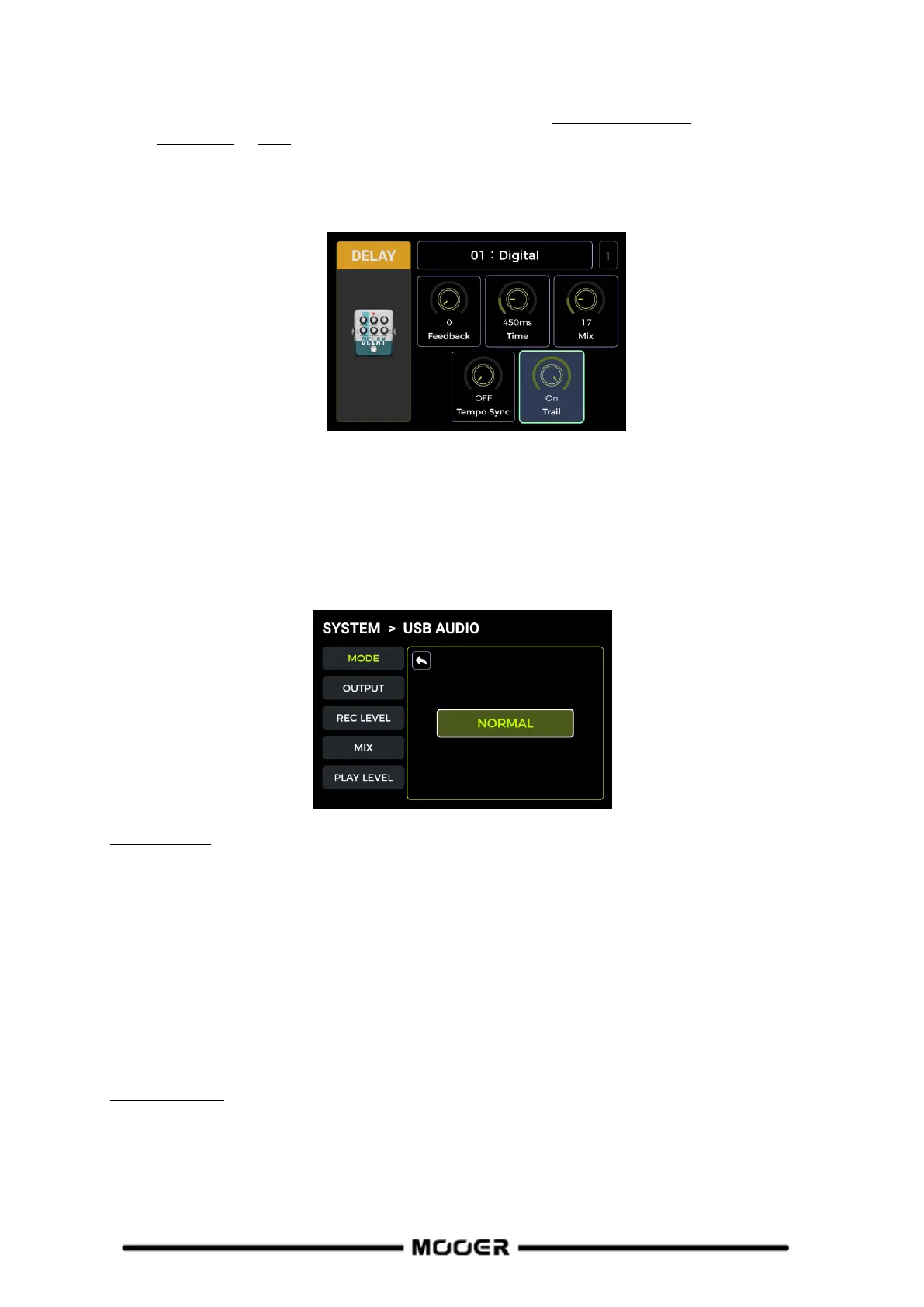
Open the parameter editing menu of the delay or reverb module in the preset.
Find the "Trail" parameter and activate it.
USB AUDIO
The GE200 PRO supports 24-bit, 44.1 kHz, low-latency sound card functions and supports most of the
host software available for Windows and Mac systems. Windows system users need to install a
special ASIO driver to realize low latency recording/monitoring. Please visit the official website to
download the Windows ASIO sound card drivers. Mac users do not need to install the sound card
driver. The system is plug-and-play for Mac.
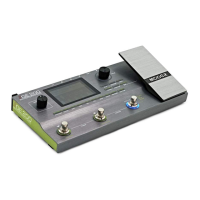
Usage MODE
Normal mode: You can use the GE200 PRO like an external sound card. The input will be
automatically taken from the input jack of GE200 PRO (your guitar), and the output will be sent to
the USB output port (digital signal) from the GE200 PRO to your computer.
Re-AMP mode: You can use the GE200 PRO as a sound card and at the same use the digital audio
signal processing features. The USB signal input of the GE200 PRO (digital signal received from the
computer) will automatically be used as input, and the USB output (digital audio signal) to the
computer will be used as output.
The default factory setting for the GE200 PRO is Normal.
OUTPUT mode
When using the sound card recording function, these two switches can be used to determine
whether the left and right outputs receive dry sound or processed effect sound. When "DRY" is
selected, the output signal of the currently selected channel is not processed by the effect modules.
When "WET" is selected, the output signal of the currently selected channel is processed by the
effect modules. Selecting the left and right output signals as dry or wet can be convenient to


 To Next Page