5
10. USB Type C interface: Connection to a computer for USB audio functions or to use supported
software (see USB Audio, see MOOER Studio).
11. Power switch: Use this switch to turn the device ON / OFF
12. DC 9 V power input: Connect the supplied power supply adaptor.
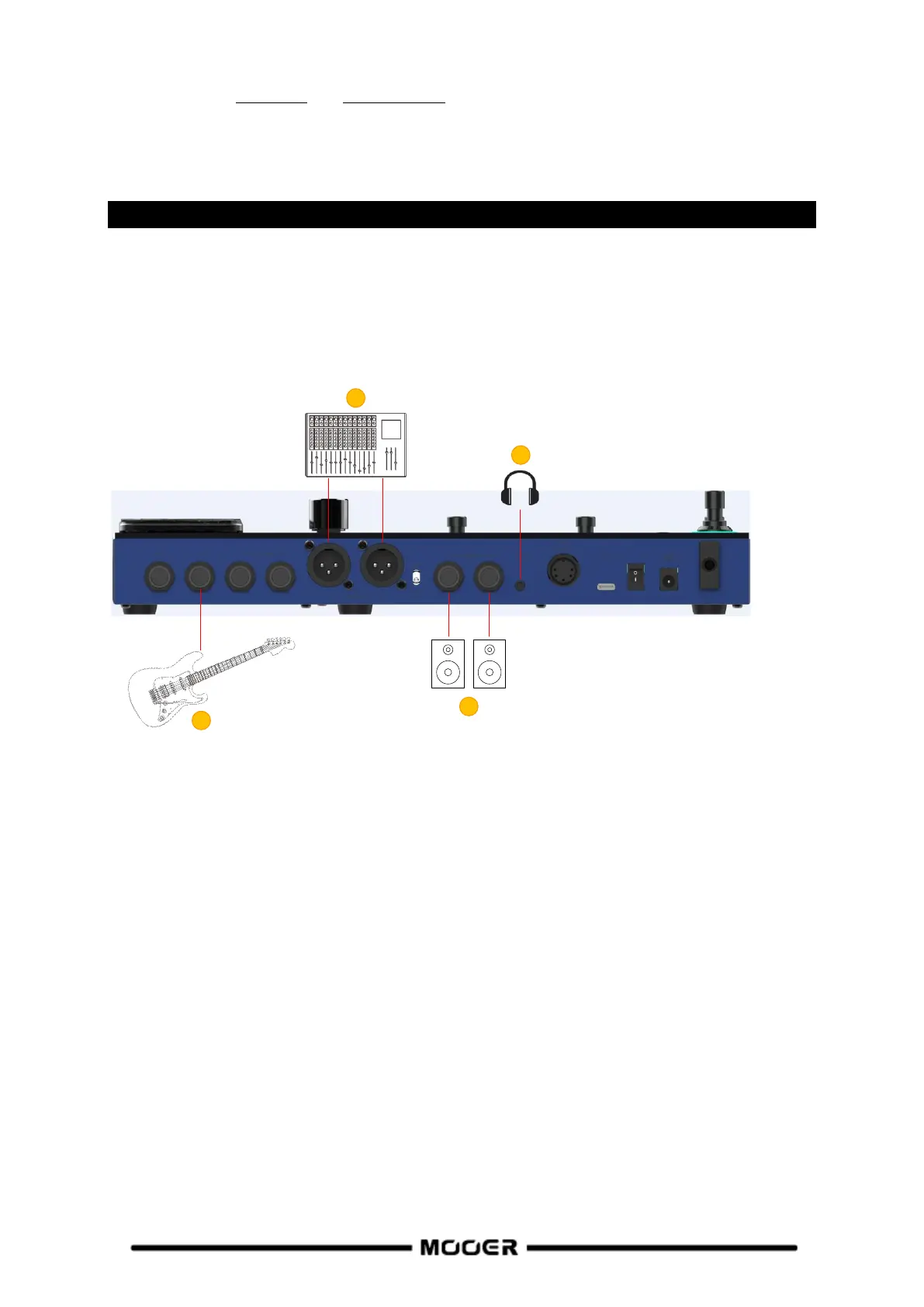
CONNECTION SCENARIOS
Connection to Full-Range equipment
This connection scenario includes full-range equipment such as studio monitors, sound cards, active
stage monitors, PA systems (full-range/crossover amplifiers + full-range/crossover speakers),
headphones, and other full-range equipment. When you establish connections using this application
scenario it is recommended to activate AMP and CAB modules in order to achieve a professional
guitar sound.
1. Connect an instrument.
2. Connect a mixing console, active stage monitor, or PA system.
3. Connect a sound card or studio monitor.
4. Connect headphones.


 To Next Page