STEP 5
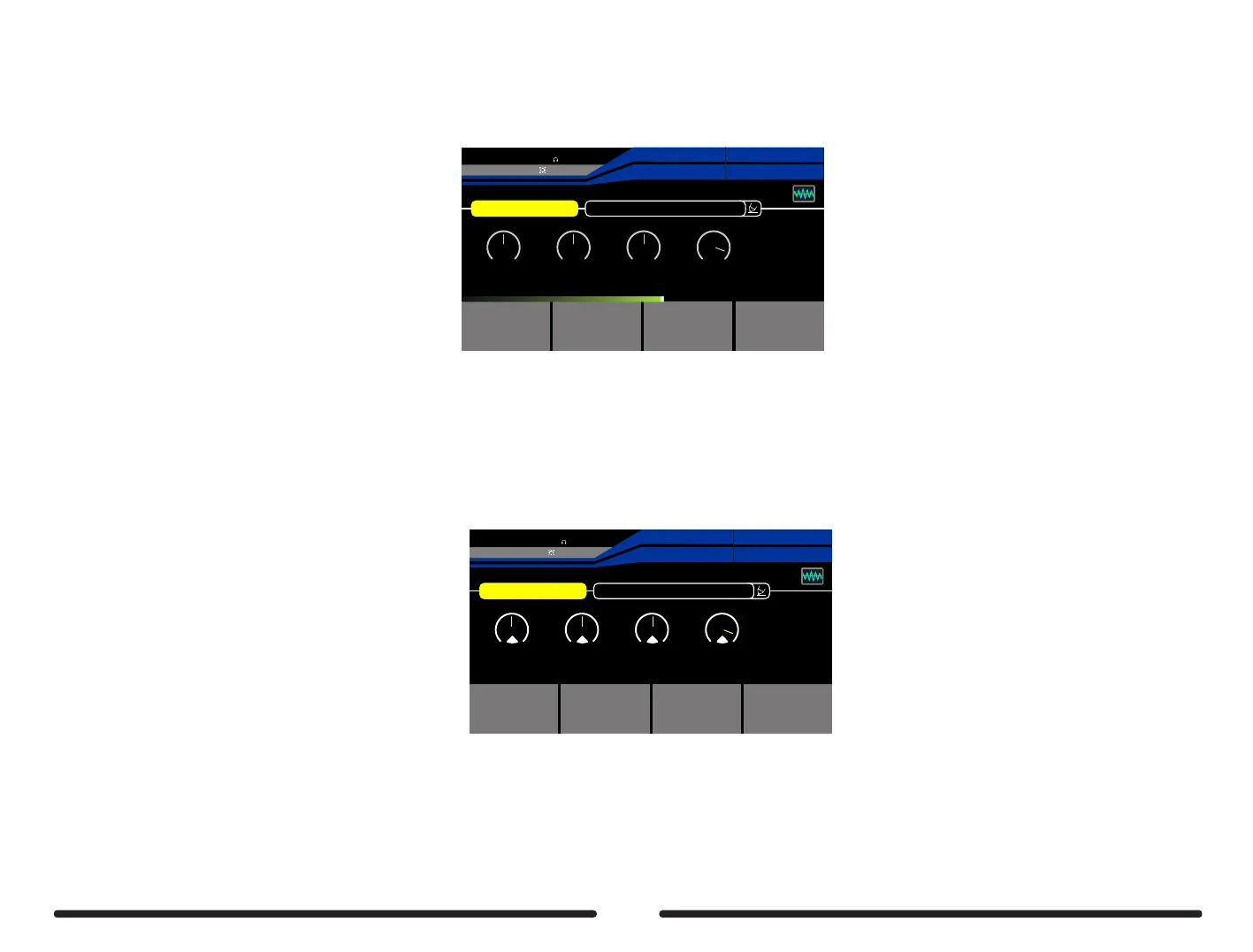
Press footswitch C to begin the capture process and play the guitar until the countdown reaches 100%. For best results, we recommend playing
the guitar strongly with an open chord first, then playing all the notes in your guitar across the full range of the instrument as much as possible.
Learning: Amp&Stomp
CaptureSource
Monitor
01:Null
50
High
5050 0dB
MidLow Output
EXP2:SYNTH
EXP1:SYNTH
Pitch 1
Pitch 1
28%
BPM 120.0
OUTPUT
XLROUT
INPUT
A
B
C
D
Target
Monitor
Active
54%
STEP 6
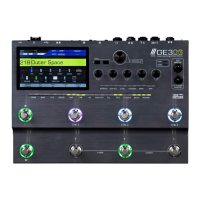
Press footswitch D to activate the tone capture
Use control knobs 1-4 to adjust EQ and output volume to dial in the tone capture to your liking
Learning: Amp&Stomp
CaptureSource
Monitor
01:User
50
High
5050 0dB
MidLow Output
EXP2:SYNTH
EXP1:SYNTH
Pitch 1
Pitch 1
35%
BPM 120.0
OUTPUT
XLROUT
INPUT
A
B
C
D
Target
Monitor
Active
1 2
3
4
47


 To Next Page