12
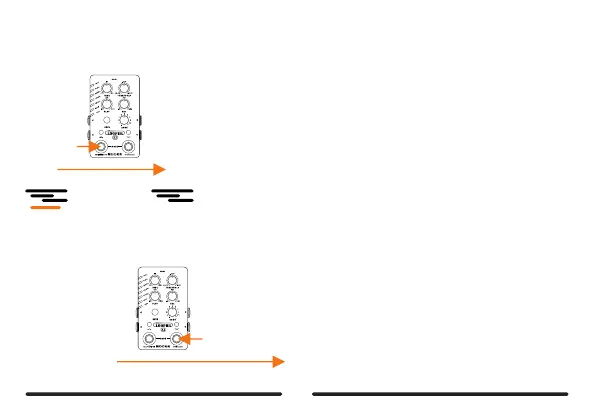
CANCEL:
ifyoumakeamistakeduringDUBrecording,youcancancelanddeletecurrentlayerdirectly.Pressandholdeftfootswitch
tocancel,ltisdifferentfromUNDO.canceledlavercannotberestored,AndvoucanonlycancelayerduringDUB.
DUB
Pressandhold
DUB
CANCEL
DeletethewronglayerandgetbacktoDUB
DELETE:
Deletetherecordedtrackswhichhavenotbeenstoredyet,ordeletetheimportaudiofileincurrentslot.
Pressandhold
RCE
PLAY
DUB
STOP
EMPTY
STOP
or
Ifrecordedtrackincurrentslothavenotbeensavedyet,
clearingitwilllettheslotbeempty.
ifimportedaudiofile,savedrecordedtrackisclearedthe
looperwillstop.



 To Next Page