13
CLEAR:
Clearallthedata(lncludingthesavedrecordedtrackandimportaudiofile)incurrentslot.
Allstatus
2、PressSAVE
EMPTY
1、Pressandhold
SAVE:
Afterrecordingiscomplete,pressandholdSAVEtosavetherecordedtrack,Anyunsavedtrackswillbelostafterpowering
off.Tracksexportedfromacomputerwillbestoredintothedeviceautomaticallywithouttheneedtoperformthesave
operation.
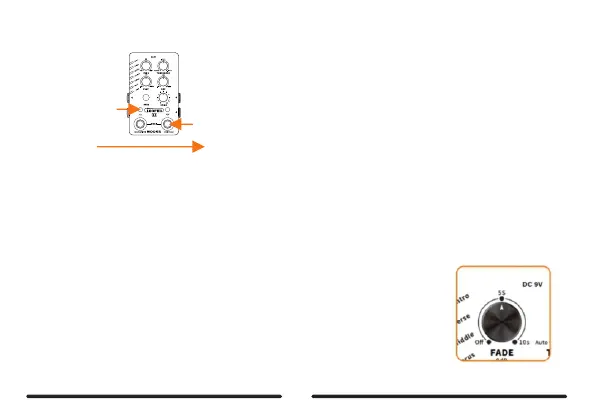
FADE:
RotateFADEtoturnonthefadeoutfunction,Whenthefadeoutfunctionison.thecurrenttrackwillastforawhileandthen
fadeoutnaturallyifyouswitchitofforswitchtoanothertrack.
LOOPERX2supportsupto10secondsoffadeouttime.RotateFADEtothefarlefttoturnoff
thefadeoutfunction,Whenfadeoutisoff,thetrackwillswitchimmediatelywhenpowering
offorswitchingtoanothertrack.



 To Next Page