AUTOREC:
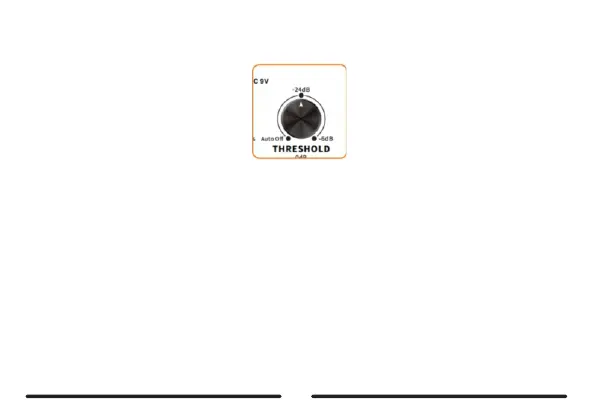
The AUTO REC can help to start recording automatically when an input signalis detected. You need to setupthe
threshold value ofthe AUTO REC and when the input signalis higher than the set value, the recording wistart
automatically.
Beforeusingthisfunction,pleaseadjusttheTHRESHOLDtoapropervalue,selectanemptyslot,andpresstheleft
footswitch.TheLEDindicatoroftheleftfootswitchwillstarttoblinkinREDforstandby.Whenanysignaloverthethreshold
valueisdetected,recordingwillstartautomatically.
RotateTHRESHOLDtothefar-leftpositiontoturnofftheAUTORECfunctionandyoucanstartrecordingmanuallyby
pressingtheleftfootswitch,Thehigherthresholdvalueyouset,themoredifficultitistoactivatetheAUTORECfunction.
14



 To Next Page