22
Import/ExportAudioFile:
Importsinglefile:
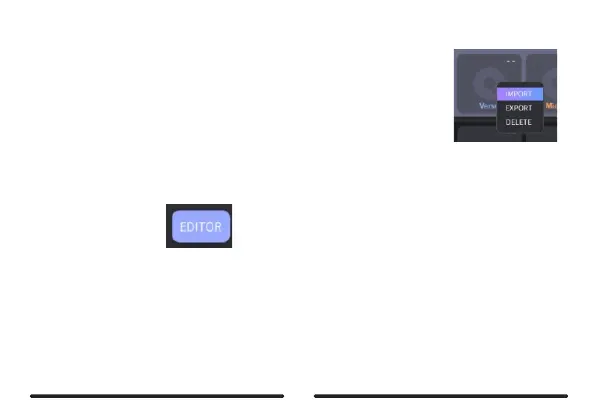
Method1:Right-clickontheslotyouwishtoselectandclickonIMPORTSelect
afileinthepop-upwindowforimporting.
Method2:SelectafilefromtheLocalAreaanddragittoaslotinDeviceAreatoimportit.
Importmulti-file:
Click on the EDIT button on the right side, then select the slots you wish to import
into.ClickonthelMPORTiconandselectfilesyouwishtoimportinthepop-upwindowandconfirm.
Thosefileswillbeimportedtotheslotsyoujustselected.



 To Next Page