BANK SELECTION
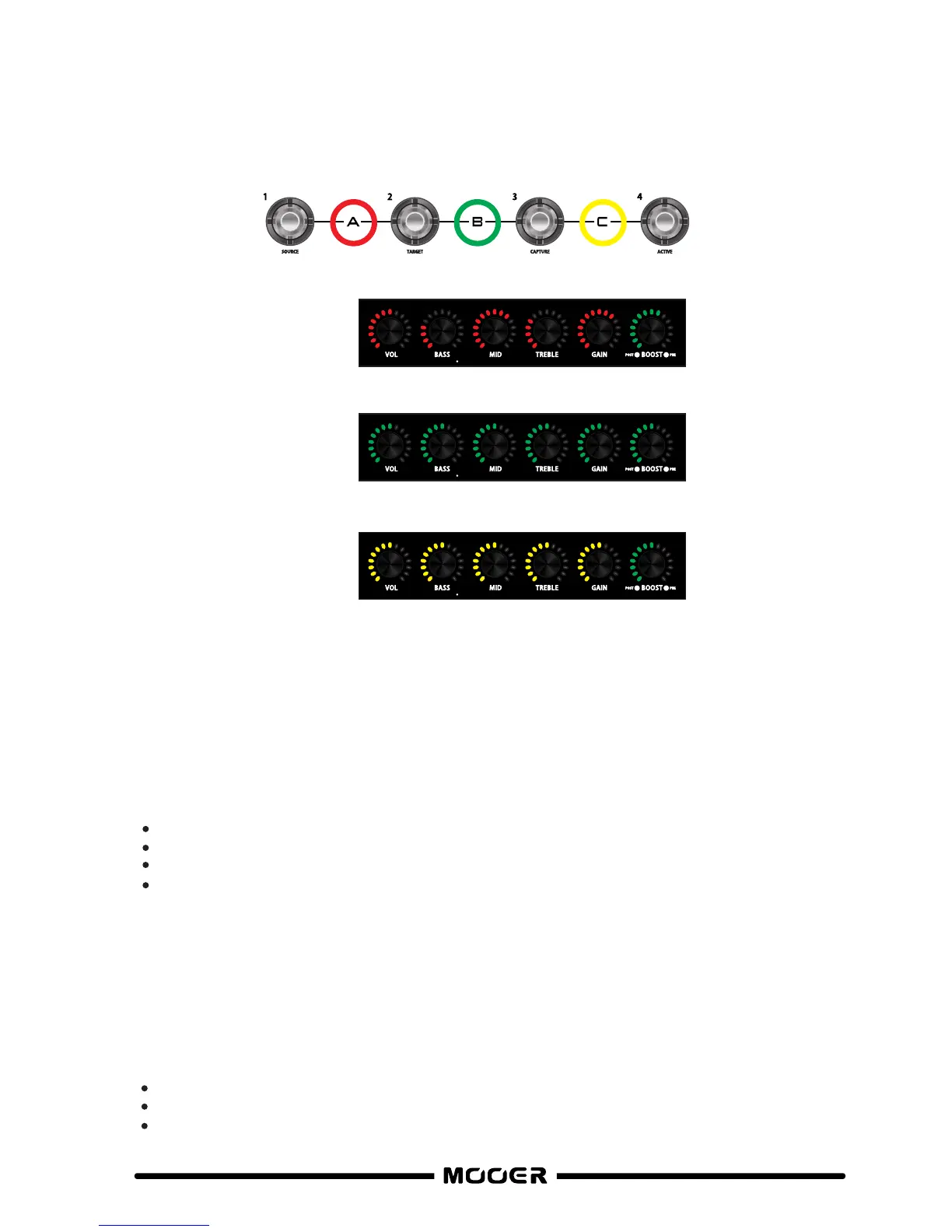
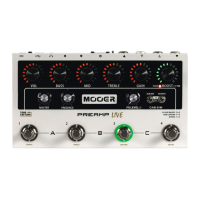
To select a BANK press the 2 footswitches marked at either side of the BANK you wish to select.
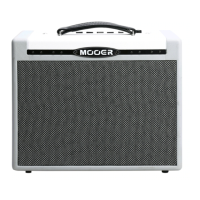
The LED’s surrounding the CHANNEL CONTROLS will change colour to indicate which bank is
selected
The colour of the CHANNEL CONTROL LED’s will indicate which BANK is currently selected.
After selecting a different bank the PREAMP LIVE will wait for you to select a channel within
that bank before changing the sound.
Saving
All Settings are saved per channel. This includes all of the Channel controls, Boost settings
+ status, Noise Gate settings and FX LOOP on/off status.
Select a Preamp Channel
Dial in your tone
Press and hold the footswitch for your currently selected channel for around 1 second.
The surrounding LED will flash to confirm saving
Duplicate channel
You can copy your current channel to any other channel position within Preamp Live.
WARNING this will overwrite all channel settings, Boost settings + status, Noise Gate
settings, FX LOOP status and Preamp Model of the target channel. The previous Preamp
model will not be recoverable without using the supporting software.
Select the channel you wish to copy and duplicate
Press and hold the footswitch of the target channel you wish to overwrite for 3 seconds
The surrounding LED will flash to confirm overwriting
9
BANK A = FOOTSWITCH 1 + 2
RED
BANK C = FOOTSWITCH 3 + 4
YELLOW
BANK B = FOOTSWITCH 2 + 3
GREEN


 To Next Page